The Ultimate Guide to the YouTube Shorts Logo
The YouTube Shorts logo is a simple but instantly recognisable symbol: a vertical play button. It’s a visual cue that tells viewers they’re about to watch quick, bite-sized video content. Think of it as a shortcut, letting your audience know to expect an engaging, vertically-shot video made for quick viewing.
What the YouTube Shorts Logo Represents
Picture the YouTube Shorts logo as the universal welcome mat for short-form video. Its clean, familiar design is more than just a piece of branding; it's a critical signpost in the ever-crowded world of online content. When people see this logo, they immediately know the format and length of the video, which sets the right expectation before they even hit play.
This simple icon is like your channel's express lane, guiding audiences straight to your most digestible videos. For creators, that’s a massive advantage. It helps separate your snappy, trending Shorts from your longer, more in-depth videos, making it easier to build a content strategy that serves different viewer habits. When you use it, you're plugging into a visual language that billions of users already get.
Core Design Elements
The real power of the logo is its simplicity. It takes the classic YouTube play button, removes the horizontal box around it, and flips it vertically. This small tweak perfectly mirrors the mobile-first way we all watch Shorts, and it’s had a huge impact. The symbol is now directly linked with a specific type of content.
In the UK, YouTube Shorts has become a massive part of how people consume video, and that iconic logo has led the way. Since launching globally in 2021, the Shorts logo has come to represent the short-form revolution. In fact, an incredible 72% of YouTube users now watch Shorts every week. For any creator trying to connect with this huge audience, understanding how to use the logo is essential. You can find more data on YouTube's UK growth over at Statista.
Key Takeaway: The logo isn't just a graphic; it's a communication tool. It tells viewers, "This content is fast, vertical, and ready to watch right now," without you having to say a word.
To give you the core facts at a glance, here's a quick summary of its essential features. And if you're looking to keep all your branding aligned, you might find our guide on how to change your YouTube username useful.
YouTube Shorts Logo At a Glance
Here's a quick summary of the essential characteristics of the official YouTube Shorts logo.
| Attribute | Official Specification |
|---|---|
| Primary Colours | YouTube Red (#FF0000), Almost Black (#282828), White (#FFFFFF) |
| Shape | A vertically-aligned play button (triangle) without a container |
| Recommended File Types | PNG (for transparency), SVG (for scalability) |
| Key Function | To visually identify content as a YouTube Short |
These specifications are the foundation of the logo's identity, ensuring it remains consistent and recognisable wherever it appears.
How to Download Official Logo Assets
Nothing screams "amateur" faster than a blurry, pixelated, or just plain wrong logo. If you want to maintain a professional look for your channel, using the official YouTube Shorts logo assets is non-negotiable. It's the first and most important step in protecting your brand's credibility.
The only place you should ever get these assets is straight from the horse's mouth: the official YouTube Brand Resources page. This guarantees you're grabbing the latest, highest-quality files and avoids the copyright minefield that comes with pulling random graphics from a Google search.
Struggling to know if a logo file is legit? This little decision tree makes it simple.
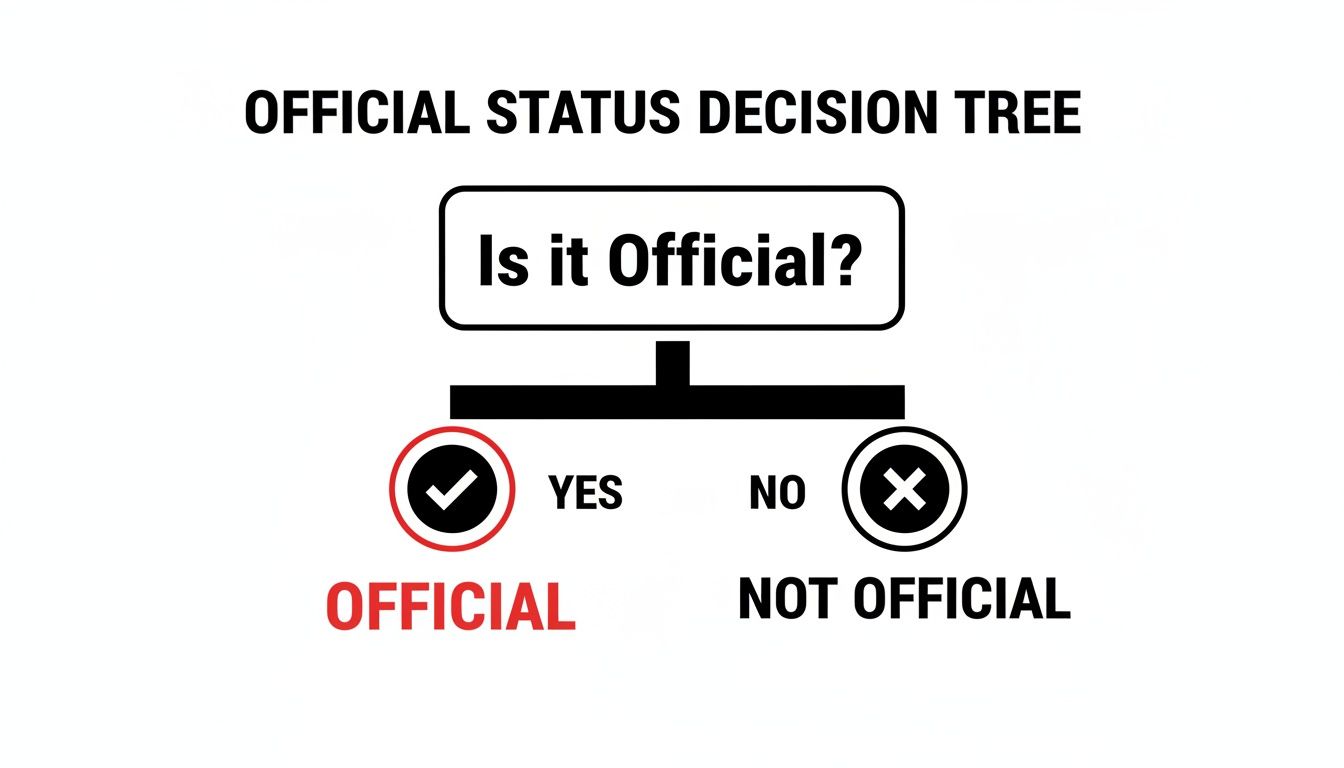
The takeaway here is crystal clear: if it didn't come directly from YouTube's brand page, it's not official. End of story.
Choosing the Right File Format
Once you land on the brand resources page, you’ll find a few different file formats. Picking the right one is all about knowing what you need it for—it's like choosing the right screwdriver for the job. You wouldn't use a sledgehammer to hang a picture frame, right?
Here’s a quick rundown of the file types you'll see and what they're actually good for:
- PNG (Portable Network Graphics): This is your go-to for pretty much anything digital. Think video overlays, thumbnails, and social media posts. PNGs support transparent backgrounds, which means you can drop the logo onto your content without that hideous white box around it. It's the key to a clean, professional look.
- SVG (Scalable Vector Graphics): Need to blow the logo up for a website banner or some channel merchandise? SVG is your hero. Because it's a vector file, you can stretch it to any size imaginable—from a tiny icon to a giant billboard—and it will never, ever lose its sharpness. No blurriness, no pixelation.
- EPS (Encapsulated PostScript): This is another vector format, but it's more for the serious graphic design pros using software like Adobe Illustrator. If you're getting high-quality flyers, business cards, or posters printed, your designer will likely ask for an EPS file.
Let's make this practical: Say you're creating an Instagram Reel to tease your new Short. A PNG is what you need. You can easily pop the Shorts logo in the corner of your video, giving viewers a clear visual cue without ruining your shot.
By getting a handle on these basic formats, you can make sure the YouTube Shorts logo always looks crisp and professional, no matter where you use it. It’s a small detail that makes a massive difference to how your channel is perceived.
Following YouTube's Official Brand Guidelines
 Using the official YouTube Shorts logo the right way is about much more than just ticking boxes on a checklist. It’s about building trust. Think of these guidelines as a playbook for showing your audience that your channel is aligned with a brand they already know and respect. When your visuals look professional and compliant, viewers instinctively see your content as more credible.
These rules aren't here to stifle your creativity. Quite the opposite, actually. They provide a simple, consistent framework that keeps the logo instantly recognisable, no matter where it appears. Following them helps maintain the logo's impact and stops it from getting lost or looking distorted in your designs.
The Do's of Using the Shorts Logo
YouTube's main rules are all about protecting the logo's integrity. Sticking to them isn't just a good idea; it's a must if you want to use their brand assets. It’s what makes your channel look polished and helps you sidestep any potential branding headaches later on.
Here are the core principles you need to know:
- Maintain Clear Space: Always give the logo some breathing room. A good rule of thumb is to leave an empty margin on all sides that’s at least half the height of the logo itself. This clear space stops it from feeling cramped and makes sure it really pops.
- Respect Minimum Size: The logo has to be big enough for people to actually read it. On digital screens, the absolute minimum height is 24 dp (density-independent pixels). If you're using it in print, don't go any smaller than 0.25 inches or 6.35 mm.
- Use Official Colours: You have three options: YouTube Red (#FF0000), Almost Black (#282828), and White (#FFFFFF). The full-colour version is best on white or light-coloured backgrounds. For darker or busier backgrounds, switch to one of the monochrome (all-white or all-black) versions so it has enough contrast.
Common Mistakes and How to Avoid Them
It’s surprisingly easy to make a small error that accidentally cheapens your look. When you're getting your logo files ready, knowing some basic artwork submission tips can be a huge help in keeping everything high-quality. A lot of creators fall into the same traps.
Here’s a quick rundown of what not to do:
- Don't alter the colours: Never tweak the logo's colour to match your own channel's branding. Its power comes from that consistent, official look.
- Don't stretch or distort it: The logo's proportions are sacred. Never squash, stretch, or rotate it.
- Don't add special effects: Steer clear of drop shadows, glows, gradients, or any other visual filters. The logo should always look flat and clean.
- Don't place it on cluttered backgrounds: If the background is too busy, the logo just gets lost. Always place it on a solid colour or a simple, uncluttered part of an image.
Practical Example: Imagine you're a DIY creator like Katherine Elizabeth. She might pop the Shorts logo on her end screen to nudge viewers towards her other short-form videos. To do this properly, she’d place the white monochrome logo over a dark corner of her final shot, making sure it’s clearly visible without being distracting and keeping it above the minimum size for mobile screens.
By sticking to these simple do's and don'ts, you present a polished, trustworthy brand that feels perfectly at home in the YouTube ecosystem. For more on this, our guide on setting up a YouTube channel covers all the branding essentials right from the very beginning.
Creative Ways to Use the Shorts Logo
 Sticking to brand guidelines doesn't mean your creativity has to take a backseat. In fact, when you use the YouTube Shorts logo smartly, it can open up some really clever ways to connect with your audience and build a more consistent brand across all your platforms. It’s about being strategic, not just restrictive.
Think of the logo as a signpost. Its whole job is to point people towards your short-form videos quickly and clearly. A well-placed logo can create a smooth path for your audience, helping turn casual viewers into proper subscribers who follow all of your content, long and short.
Integrating the Logo into Your Content
One of the most powerful places to use the logo is right within your long-form videos. You don’t need anything flashy; a simple, subtle graphic popping up in the corner or on an end screen can do the trick. This small touch acts as a gentle, constant nudge, reminding viewers that you’ve got more bite-sized content for them to dive into.
Here are a few practical ideas you could try today:
- A "Check Out My Shorts" Call-to-Action: Pop a small overlay into your longer videos showing the Shorts logo next to a quick message like, "For more quick tips, head over to my Shorts!" This works brilliantly for how-to and educational channels.
- Thumbnail Branding: Create a consistent thumbnail style for your Shorts that subtly weaves in the logo or its red, black, and white colour scheme. This helps your Shorts pop in the feed and look organised on your channel page.
- End Screen Promotion: Dedicate one of your end screen slots to a playlist of your best Shorts, and label it clearly with the official logo. It’s a great way to keep people watching once your main video is done.
When you start using these methods, you build a connected ecosystem for your content. People who find you through a long video can easily discover your Shorts, and vice versa. It’s a straightforward strategy for boosting your watch time across the board. Making sure everything is optimised is crucial, and you can learn more about the perfect YouTube Shorts size in our detailed guide.
Cross-Platform Promotion Case Study
The logo's real magic comes to life when you use it to pull your audience over from other platforms. So many creators use Instagram, TikTok, or X (formerly Twitter) to drop teasers for their latest Shorts, and they use the logo to make that call-to-action impossible to miss.
Creator Spotlight: Paddy Galloway YouTube strategist Paddy Galloway is a pro at this. He’ll often share clips or key takeaways from his latest videos on his X profile, always including a clear call-to-action with the YouTube Shorts logo. This instantly tells his followers where they can find the full story, turning his social media chatter into direct traffic for his YouTube channel.
This works so well because it leans on instant brand recognition. People scrolling through their feeds already know what that little Shorts icon means. As you get creative with your content plan, it's also worth looking at how other platforms work, like learning how to create Instagram Reels.
By placing the YouTube Shorts logo in just the right spot in your promotional posts, you’re not just dropping a link. You’re giving a clear visual instruction that cuts through the noise and sends your audience exactly where you want them to go.
Common Mistakes to Avoid
A single branding mistake can make your content look amateurish and untrustworthy. When it comes to using the YouTube Shorts logo, even tiny errors can chip away at your channel's credibility. Think of this as a practical checklist to help you dodge the most common blunders creators make.
By understanding these pitfalls, you can keep your branding sharp, compliant, and effective. From using old logos to accidentally implying a partnership that doesn't exist, we'll cover what to look out for so you can get it right every time.
Using Outdated or Unofficial Logos
It’s tempting, I know. You do a quick image search, grab the first logo that pops up, and drop it into your design. But this is one of the most frequent mistakes out there. More often than not, you'll end up with an old version, a pixelated copy, or a fan-made graphic that just doesn't look right.
Using the wrong logo instantly signals a lack of attention to detail to your viewers and potential collaborators. It’s like a cafe using a badly photocopied sign for a world-famous coffee brand; it just feels off.
The fix is simple: always, and I mean always, download your assets directly from the official YouTube Brand Resources page. It’s the only way to be certain you have the latest, high-quality, and approved versions of the YouTube Shorts logo.
Ignoring Clear Space and Sizing Rules
Another common slip-up is crowding the logo. Jamming it too close to other text, graphics, or the edge of your thumbnail makes the entire design feel cluttered and unprofessional. On the flip side, shrinking it down so small that it becomes a blurry speck completely defeats the purpose of using it in the first place.
Key Insight: That empty area around a logo isn't just wasted space. Think of it as a frame that gives the logo room to breathe, drawing the eye and giving it importance. Respecting this clear space is a basic design principle that shows you care about quality.
Stick to these simple rules to avoid this mistake:
- Give it breathing room: Always leave a protective margin around the logo. A good rule of thumb is to make this space at least half the height of the Shorts icon itself.
- Keep it legible: On digital screens, make sure the logo’s height is never smaller than 24 dp (density-independent pixels).
Falsely Implying Endorsement
This is a big one, so pay close attention. You absolutely cannot use the logo in any way that suggests YouTube has officially partnered with you, sponsored your video, or endorsed your channel. This is a direct violation of their terms and can land you in hot water.
This kind of mistake misleads your audience and infringes on YouTube's trademark rights. It creates a false sense of authority and can damage the trust viewers have in both your channel and the platform.
To stay on the right side of the guidelines, only use the logo to show that your content is a Short or to direct people to your Shorts feed from another platform (like in a social media post). Never use it alongside phrases like "Official Partner," "Sponsored by YouTube," or "YouTube Approved." Your usage should always be informational, never implying a formal relationship.
Got Questions? We’ve Got Answers
Let's tackle some of the most common questions creators have about the YouTube Shorts logo. These are the queries we see popping up time and again, so we've put together some quick, straightforward answers to clear up any confusion.
Can I Change the Colour of the YouTube Shorts Logo to Match My Branding?
No, you should never change the colour of the official YouTube Shorts logo. YouTube’s brand guidelines are crystal clear on this: you must use the official black, white, or red versions they provide.
Think of it this way: the logo's strength is in its consistency. People instantly recognise it across millions of channels. Altering its colour not only weakens that recognition but also goes against YouTube's rules. Stick to the provided palette to keep your channel looking professional and trustworthy.
Is It Okay to Use the Shorts Logo in My Video Thumbnails?
Yes, absolutely! Using the Shorts logo in your thumbnails is a great strategy. It immediately tells viewers that they're about to watch a Short, helping your content stand out and setting the right expectation before they even click.
Just make sure you follow the rules. Give the logo enough breathing room (the "clear space" requirement), don't make it the star of your thumbnail, and never use it in a way that suggests YouTube has officially endorsed your video. It's a handy label, not a stamp of approval.
Where Do I Find the Official High-Resolution Logo Files?
The one and only place you should go is the official YouTube Brand Resources website. It's vital to download the assets directly from the source to get the latest, high-resolution files in the correct formats, like PNG and SVG.
A Word of Warning: Resist the temptation to just grab a logo from a quick image search. Those files are often low-quality, out of date, or just plain wrong. Using them can make your branding look sloppy and could even land you in hot water with copyright. Always go straight to the official source.
This simple step ensures the YouTube Shorts logo always looks sharp and clean, protecting your channel's professional look every single time.
Do I Need Permission to Use the Logo to Promote My Channel?
You don't need to ask for special permission to use the Shorts logo when you're promoting your own Shorts on other platforms, like telling your Instagram followers about a new video. As long as you follow the brand guidelines to the letter, this kind of informational use is perfectly fine.
The key is to avoid implying any kind of formal partnership. Using the logo to suggest that YouTube sponsors or officially endorses your content is a big no-no. Your goal is simply to let your audience know where they can find your content, not to mislead them.
Coming up with viral ideas is tough, but it doesn't have to be. Vidito helps you generate dozens of data-backed video concepts in seconds, so you can stop staring at a blank screen and start creating content that connects. Discover your next hit video today at https://vidito.ai.