A Practical Guide to Setting Up a YouTube Channel That Grows
Getting your YouTube channel set up correctly is about more than just filling in a few boxes. It’s about laying the groundwork for your entire content journey, making sure your videos have the best possible chance of finding the right audience right from the get-go.
Your Blueprint for a Successful YouTube Launch
Jumping into YouTube for the first time can feel overwhelming, but breaking it down into a clear set of steps makes all the difference. Think of this guide as your roadmap, covering the absolute must-dos that every new creator needs to nail from day one. It's your checklist for building a channel that's actually built to grow.
Before we get into the nitty-gritty, let's talk about why this is such a huge opportunity, particularly if you're in the UK. The potential audience is absolutely massive.
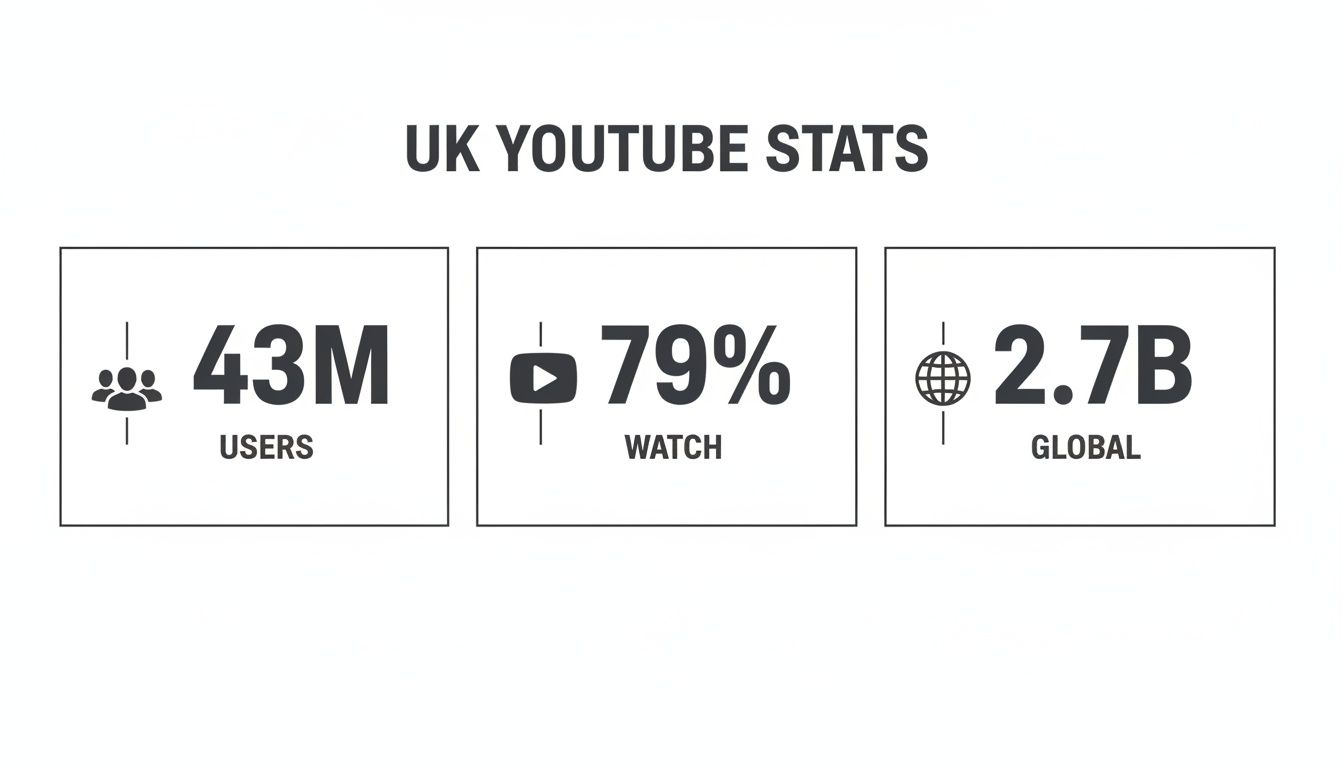
As you can see, the numbers speak for themselves. UK creators have a highly engaged audience right on their doorstep, with the added bonus of a gigantic global viewership just a click away.
The Opportunity for UK Creators
The YouTube scene in the UK is buzzing with potential for new creators. There are 43.07 million active users here, and a staggering 79% of the country's internet users are on the platform watching videos. That's a huge, hungry audience waiting for great content.
Now, let's zoom out. When you pair that local demand with YouTube's 2.70 billion monthly active users worldwide, you start to see the true scale of the opportunity. As a UK-based creator, you get the best of both worlds: you can build a strong, loyal following at home while also having the platform to reach viewers across the globe.
Practical Example: Take the channel Korean Englishman. Based in London, Josh and Ollie started by introducing their Korean friends to British food. This tapped into a strong local UK interest but quickly attracted a huge global audience fascinated by the cultural exchange. They started local but built a global brand.
Key Takeaway: Setting up your channel isn't just a technical chore. It's the strategic foundation for everything you'll do next. Get it right, and your videos will be far more likely to get discovered by the people who want to watch them.
Let's quickly summarise the core elements you'll need to focus on to get your channel off the ground.
Essential YouTube Channel Setup Checklist
This table breaks down the crucial first steps. It's a quick-reference guide to make sure you've covered all the essential bases before you even think about uploading.
| Component | Key Action | Why It Matters |
|---|---|---|
| Google Account | Create a dedicated Google account for your channel. | Keeps your personal and channel activities separate for security and organisation. |
| Channel Name | Choose a unique, memorable, and relevant name. | Your name is your brand. It should be easy for viewers to find and remember. |
| Branding Elements | Design a channel icon (logo) and banner art. | Creates a professional look and gives viewers a visual cue about your content. |
| About Page | Write a compelling description of your channel. | Tells new viewers what you're about and what kind of videos to expect. Great for SEO! |
| Channel Verification | Verify your account with a phone number. | Unlocks key features like custom thumbnails and videos longer than 15 minutes. |
Nailing these initial steps ensures you're not just launching a channel but building a brand with a solid foundation from the very beginning.
Ultimately, your success story begins long before you hit "record". It starts with a smart plan, a solid setup, and a clear idea of your niche. If you're still brainstorming what your channel should be about, our guide on ideas for a YouTube channel is a great place to get your creativity flowing.
Crafting a Memorable Channel Brand and Identity
Think of your channel's brand as its personality. It’s the first impression you make on a potential subscriber and the lasting feeling they take away. This isn't just about looking good; a solid brand identity is a promise to your viewers about the kind of content they can expect. It builds recognition and, more importantly, trust, which is the secret sauce for turning casual viewers into a real community.
When you’re just starting out, getting these foundational pieces right is absolutely crucial.

This goes way beyond just picking a name you think is cool. It's about consciously building a cohesive look, feel, and voice across every part of your channel, from your profile picture all the way to the words you choose for your 'About' section.
Choosing a Memorable Channel Name
Your channel name is your digital handshake. You need something that's easy to remember, simple to spell, and ideally gives a little clue about your content. A great name is also searchable and unique enough to stand out from the crowd.
Here are a few tried-and-tested approaches to get you thinking:
- Your Name: If you’re the face of your content—an expert, coach, or vlogger—using your own name like Ali Abdaal is a fantastic way to build a personal brand.
- Descriptive Name: Something like The Slow Mo Guys leaves no doubt about what the channel offers. This makes it incredibly easy for people to find you through YouTube search when they're looking for that specific type of content.
- Creative or Branded Name: A unique name like Sorted Food can become an incredibly strong brand over time. Just know that it might take a bit more initial effort to build that name recognition.
Feeling stuck? Don't let it stop you in your tracks. A little inspiration can go a long way, so exploring different YouTube channel names ideas is a great way to find the perfect fit for your niche.
Designing Your Visual Identity
Got a name? Brilliant. Now it’s time to give it a face with your profile picture and channel banner. These two visuals work as a team to create that all-important first impression.
Your profile picture, or channel icon, is your tiny billboard. It pops up everywhere—next to your videos, in the comments, and in search results—so it has to be clear and recognisable, even when it's shrunk down to a tiny circle. For personal brands, a high-quality headshot is perfect. For broader channels, a clean, simple logo is usually the best bet.
Your channel banner is that big slice of prime real estate at the top of your channel page. This is your chance to tell a story visually. Use it to show off your personality, hint at your content style, and maybe even drop your upload schedule. Take the UK-based food channel Sorted Food. Their banner is vibrant and features the whole team, which immediately screams fun, community, and collaboration. It tells you right away that this is more than just a recipe channel; it’s a group of mates sharing their passion.
Pro Tip: Don't waste your banner space! Add a short, punchy tagline that explains why someone should subscribe and stick your posting schedule right on there (e.g., "New Videos Every Tuesday!"). It’s a simple trick that sets expectations and nudges people to hit that subscribe button.
Writing a Powerful About Section
So many new creators treat the 'About' section as an afterthought, and it's a massive mistake. This page is your elevator pitch for potential subscribers and collaborators. Plus, YouTube and Google pay close attention to the keywords here for search rankings.
A great 'About' section should nail a few key questions:
- Who are you? Give a quick intro to yourself or your brand's mission.
- What is your channel about? Get specific about your niche and the topics you dive into.
- Who is it for? Let viewers know they're in the right place by describing your ideal audience.
- Why should they subscribe? This is your value proposition. What will they learn or get out of watching?
- When do you upload? Mention your schedule so they have a reason to come back for more.
For a masterclass in how to do this well, look at productivity expert Ali Abdaal's 'About' section. He clearly explains his journey from doctor to entrepreneur and states the channel's goal is to share "strategies and tools that help us live happier, healthier, more productive lives." That one sentence immediately connects with his target audience and gives them a very compelling reason to hit subscribe.
By taking the time to craft a thoughtful brand identity, you’re doing more than just setting up a YouTube channel—you're building a home for your content and a foundation for your future community.
Getting Your Channel Found on YouTube
Putting your videos out there is one thing, but getting people to actually find them is a whole different ball game. This is where you need to work with the YouTube algorithm, not against it. Think of your channel's settings as a roadmap you're giving YouTube to help it guide the right viewers directly to your content.
It’s about being strategic. By spending a bit of time in the backend of your channel, you can make a massive difference in how quickly your audience grows. Let's dive into the settings that really move the needle.
Nail Your Channel Keywords
Deep within your YouTube Studio settings lies a small box for channel keywords, and it’s one of the most powerful tools for a new creator. These aren't for individual videos; they're high-level terms that tell YouTube what your entire channel is about. They define your niche.
Practical Example: The channel Gardening with Ben is based in the UK. His channel keywords likely include "UK gardening," "allotment tips," "growing vegetables," and "no dig gardening." This helps YouTube recommend his videos to British viewers specifically looking for local gardening advice.
These act as signposts for the algorithm, establishing your authority in a specific area over time. To get a real leg up, it's worth digging into our guide on https://www.vidito.ai/blog/how-to-find-low-competition-keywords. It’ll help you find terms that give your new channel a fighting chance.
Set Up Upload Defaults and Save Yourself a Headache
Every creator knows that consistency is key, but it can be a real grind. This is where upload defaults become your best friend. This feature lets you create a template that automatically fills in parts of the description, tags, and other settings for every single video you upload.
You can set up a default template that includes:
- A quick intro about your channel's purpose.
- Links to your social media profiles to build your community off-platform.
- Any necessary affiliate disclosures to stay on the right side of YouTube's policies.
- A few core tags that apply to all your content (like your channel name or main topic).
Honestly, this is a huge timesaver and ensures your branding and optimisation are consistent across the board.
The Art of the Title and Thumbnail
Your title and thumbnail are your video's first impression, and they have about two seconds to convince someone to click. They’re a team: the title sparks curiosity, and the thumbnail delivers the visual punch that promises value.
Think about it. A title like "My Kitchen Tour" is flat. But what about "My 7-Day Tiny Kitchen Organisation Challenge"? That’s a story. It’s specific, it’s intriguing, and it tells the viewer exactly what transformation they’re about to see.
Case Study: MrBeast
Look at any of MrBeast's thumbnails. They are a masterclass in visual storytelling. You'll see vibrant colours, expressive faces (often with open mouths showing shock or excitement), and a clear, simple visual that communicates the video's core concept, like a giant pile of cash or a house made of chocolate. This strategy grabs attention and makes the video irresistible to click.
Use YouTube Shorts to Fast-Track Your Growth
The way people discover new channels has completely changed, and YouTube Shorts are at the centre of it all. A mind-boggling 35% of all new channel discovery now comes directly from the Shorts feed. With more than 1.6 billion people swiping through Shorts every month, it’s an incredible opportunity to get in front of a huge audience, quickly.
This is a genuine game-changer, especially for new creators. A few well-made vertical videos can introduce your channel to thousands of potential subscribers far faster than relying on long-form content alone.
To give your videos an extra SEO boost, look into how converting YouTube videos to text can make a real difference. Adding accurate captions and a transcript not only makes your content more accessible but also gives search engines more text to index, which can seriously improve your discoverability.
Your First Video: From Idea to Published
With your channel's foundations firmly in place, it’s time for the exciting part: creating and publishing your very first video. This is where your vision truly comes to life. Getting this process right from the start means you can create a repeatable workflow that turns a simple idea into a polished video your audience will love.
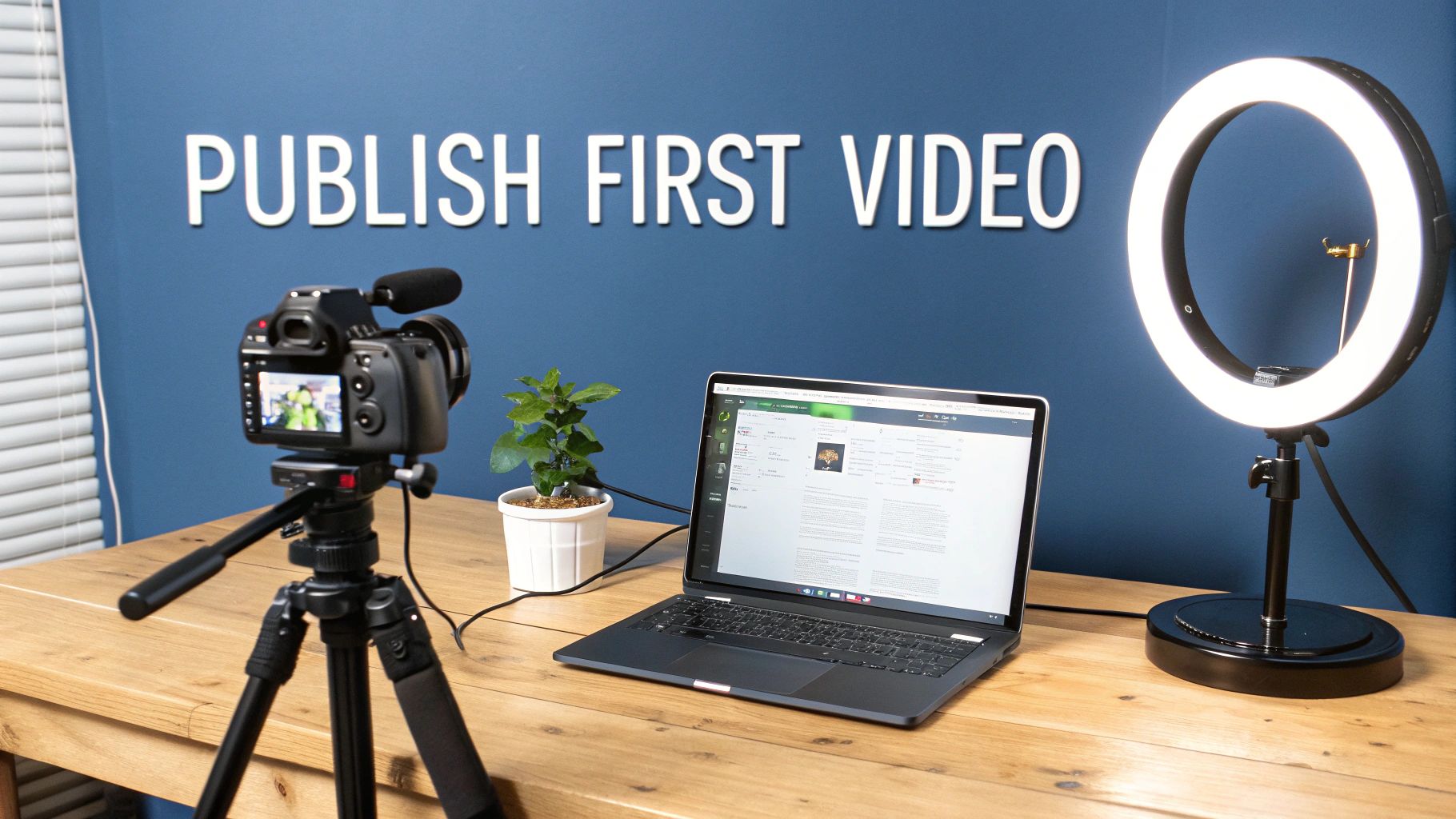
This kind of simple setup is all you need to get started. The focus is on the fundamentals: good lighting, a steady camera, and a laptop to handle the upload. Forget the fancy gear for now; just nail the basics.
Generating and Validating Your Video Ideas
So many new creators fall into the trap of filming something they think is a great idea, only for it to get zero views. Why? Because nobody was actually searching for it. That's why validating your ideas with real data before you hit record is one of the most important habits you can build.
This is where tools like Vidito come in. Instead of guessing, you can generate dozens of video concepts based on actual YouTube and Google search data. The goal is to find that sweet spot: topics with a decent amount of search traffic but not a ton of competition from massive channels.
Practical Example: Instead of a generic "How to invest" video, a search might reveal low-competition topics like "Best ISAs for beginners UK" or "How to start a SIPP in your 20s." These specific, validated ideas have a much higher chance of ranking and getting found.
Focusing on What Truly Matters for Your First Videos
It’s easy to get obsessed with buying the latest and greatest camera, but honestly, that’s not where your initial focus should be. Viewers are surprisingly forgiving of a video that isn't 4K, but they absolutely will not tolerate bad audio or poor lighting. If you’re on a budget, these two areas are where every penny should go.
- Clear Audio: This is non-negotiable. An inexpensive lavalier mic that clips to your shirt or a basic USB microphone will make a world of difference to your sound quality.
- Good Lighting: You don’t need a Hollywood film set. A simple ring light or a couple of softbox lights can instantly make your videos look more professional by eliminating shadows. Even just filming in front of a window during the day is a great, free option.
The aim here is simple clarity. Your audience must be able to see and hear you without straining. As you get into the nitty-gritty of production, a good guide on how to make professional-looking videos can be a huge help in mastering these essentials.
A Practical Upload Workflow
Once your video is edited and ready to go, the upload process itself is your last chance to set it up for success. Don't just rush to hit "publish." This is where you feed the YouTube algorithm all the information it needs to understand your video and show it to the right people.
Here’s a simple checklist to run through for every single upload:
- A Compelling, SEO-Rich Description: The first couple of lines are crucial because they show up in search results. Explain what the video is about, using your most important keywords. Below that, add more detail, timestamps, and links to your socials or relevant products.
- A Mix of Broad and Specific Tags: Tags give YouTube extra context. Use broad ones for your niche ("beginner gardening") and specific ones for the video's topic ("how to grow tomatoes in pots"). Always add your channel name as a tag, too.
- Adding End Screens and Cards: These are fantastic for keeping people watching your content. Use the end screen to point viewers to another one of your videos or a playlist. Use cards mid-video to link to other relevant content.
- Scheduling Your Video: Uploading at the right time matters. Use the schedule feature to publish when your audience is most active. Once your channel has a bit of data, your YouTube Analytics will show you the best days and times to post.
Case Study: Pro Home Cooks
If you want to see this done perfectly, check out the channel Pro Home Cooks. The host, Mike Greenfield, writes incredibly detailed descriptions that include full recipes and links to all the gear he uses. This is a massive value-add for his audience, but it also stuffs the description with relevant keywords, helping his videos rank for all sorts of cooking-related searches.
By following a consistent plan for every video you publish, you take the guesswork out of the equation. This structured approach to optimisation is what separates channels that grow from those that stagnate, ensuring every video gets the best possible chance to find its audience.
Making Money on YouTube: A Realistic Guide to Monetization
While passion is what gets you started on YouTube, let's be honest—earning a living from your creativity is the goal for many. Getting your channel monetized is a huge milestone, but it's important to approach it as a long-term project, not a get-rich-quick scheme. For almost everyone, the first major step is getting into the YouTube Partner Programme (YPP).
To get in, you have to hit a few key milestones. These aren't just arbitrary numbers; they're YouTube's way of making sure your channel has a real, engaged audience before they start placing ads on your videos.
The Magic Numbers: What You Need to Join the YPP
Before you can even think about ad revenue, you need to prove you can consistently create content that people actually stick around to watch. There are two main hurdles to clear.
Here’s what you’re aiming for:
- 1,000 Subscribers: This is the first big one. It shows you’ve built a core community of people who like your stuff enough to hit that subscribe button.
- 4,000 Hours of Public Watch Time: This is the tougher one. You need to rack up these hours within the last 12 months. It’s the ultimate proof that viewers aren't just clicking away—they're genuinely engaged with your videos.
Hitting those targets can feel like a massive mountain to climb, but a clever content strategy makes it much more manageable. My advice? Focus on evergreen content. These are videos that stay relevant long after you've posted them. Think "how-to" guides, in-depth reviews, or tutorials. A great guide on how to fix a leaky tap will still be getting views (and racking up watch hours) years from now, working for you 24/7.
What Monetization Looks Like Today
For creators here in the UK, the landscape has never been better. The global growth of YouTube Premium, projected to hit 125 million subscribers by 2026 (including trials), means there's a growing pot of money shared out among creators. Once you clear those initial hurdles of 1,000 subscribers and 4,000 watch hours, you unlock access to both AdSense and a slice of that Premium revenue. If you want to dig deeper into the opportunities, the team at Limelight Digital often shares some great insights.
A Real-World Example: The Nathaniel Drew Story
When Nathaniel Drew first started, he didn't chase viral trends. He carved out a niche around "mental clarity" and self-improvement. His videos on digital minimalism and learning new skills weren't overnight sensations, but they were the kind of thoughtful, evergreen content that people actively searched for. This slow-and-steady approach built a deeply loyal audience, helped him cross the YPP threshold organically, and laid the groundwork for a sustainable, full-time career.
It’s Not Just About Ads
Ad revenue is what everyone talks about, but it’s just the beginning. Once you're in the YPP, YouTube gives you a whole toolkit to let your community support you directly. Smart creators know that diversifying their income is the secret to a stable career.
Here are a few other ways you can earn:
- Channel Memberships: Think of it like your own little fan club. Your most dedicated supporters can pay a small monthly fee for special perks like badges, custom emojis, or access to exclusive videos.
- Super Chat & Super Stickers: These are fantastic for live streams. Viewers can pay to have their comments highlighted in the chat, making it a fun way for them to stand out and support you in the moment.
- YouTube Premium Revenue: This one is brilliant because it's passive. When someone with a YouTube Premium subscription watches your video, you get a small cut of their monthly fee. It all adds up!
By thinking about these different income streams from day one, you can build a channel that not only meets the YPP requirements but is also set up for genuine, long-term success.
Common Questions About Starting a YouTube Channel
Even with a solid idea, launching a YouTube channel can leave you wondering where to begin. Here are answers to the most frequent doubts new creators face when setting up their presence on YouTube.
Is It Too Late To Start A YouTube Channel?
There’s more competition now than ever, but fresh interests and niches constantly pop up. You don’t need to be the first—focus on carving out a perspective that only you can offer.
Case Study: The channel LegalEagle launched in 2017, long after YouTube was established. By combining a popular niche (reacting to TV shows/movies) with his unique expertise as a real-life lawyer, he created a completely new content category and grew a massive audience in a "crowded" space.
How Much Does It Really Cost To Start?
You can kick off a channel for £0 using just your smartphone and free editing apps. Many successful creators began this way, making content by daylight streaming through a window.
Once you want to level up, consider:
- Audio Is King: A basic lavalier mic for under £20 instantly sharpens sound.
- Lighting Is Queen: A ring light at roughly £30 makes your footage look far more polished.
Practical Example: YouTuber MKBHD, famous for his high-quality tech videos, started by filming grainy webcam videos in his bedroom. His focus was on delivering great information, and he only upgraded his gear as his channel grew and started earning revenue.
What Equipment Should I Actually Buy First?
Resist the urge for an expensive camera. Start by nailing your sound and lighting setup. Then invest in a solid tripod—steady shots matter enormously.
Once your audio, lighting and stability are in place, you’ll know exactly when it’s time to upgrade your camera without wasting money.
Should I Focus On Shorts Or Long-Form Videos?
Both formats play different, yet complementary roles:
- YouTube Shorts excel at grabbing quick attention and attracting new viewers.
- Long-Form Videos let you dive deep, build rapport and transform casual watchers into loyal subscribers.
Case Study: Take Cleo Abram’s channel. She hooks audiences with punchy Shorts that pose a fascinating science question (e.g., "Why is this plane flying in a crab-like way?"). The Short gets millions of views and acts as a trailer, driving thousands of curious viewers to her full, in-depth long-form video that explains the science behind it. That blend of snackable clips and deep content turbocharges her growth.
How Do I Get My First 1,000 Subscribers?
There’s no instant fix, but consistency and value go a long way. Produce videos that answer real questions or entertain a defined audience. Then:
- Optimise every title, thumbnail and description for search.
- Reply to every comment—early engagement shows you’re invested.
- Share your videos on social platforms where your friends and followers already are.
Ready to stop guessing and plan your content with confidence? Explore Vidito’s tools to generate, validate and organise video ideas that resonate with your audience—all before you hit record.