How to Set Up a YouTube Channel The Ultimate UK Creator Guide
Getting your YouTube channel off the ground really comes down to four key areas: setting up the account itself, crafting your brand's look and feel, making sure people can find you, and planning out those crucial first videos. The best part? The entire process is free, and you can get the foundations laid in just a few hours.
Why Launching a UK YouTube Channel Is a Smart Move
If you've been toying with the idea of starting a YouTube channel here in the UK, now is the time to jump in. This isn't just a whim; it’s a genuinely strategic move into a booming digital scene. The UK audience is more plugged in and hungry for content than ever, which opens up a massive opportunity for new creators to carve out their niche and build a real community.
The old view of YouTube as a place for hobbyists is long gone. It’s now a powerhouse in British media, reflecting a deep shift in how we all watch and engage with content. This creates the perfect environment for anyone with a passion, a skill, or a unique viewpoint to share it with a ready-made audience.
The UK Audience is Waiting for You
Let's be clear: YouTube's influence in the UK isn't just growing, it's colossal. It's even starting to give traditional media giants a run for their money. Barb data from late 2025 showed YouTube's reach skyrocket to over 51 million viewers in the UK, inching past the BBC's 50.8 million.
This isn't just a headline-grabbing number. It shows a fundamental change in our viewing habits. UK users now spend an average of 44 minutes every day on the platform, constantly on the hunt for something new to watch.
What does that mean for you? It means there's a constant, daily demand for fresh videos in every niche imaginable. Whether you want to make videos about perfecting Cornish pasty recipes, touring London flats, or hiking in the Scottish Highlands, there's an audience out there actively searching for what you have to offer.
This shift isn't just about statistics; it's about a fundamental change in where people are focusing their attention. As a new creator, you're not fighting for leftover scraps of screen time—you're tapping into a primary source of daily entertainment and information for millions.
Modern Tools Have Lowered the Barrier to Entry
It wasn't long ago that starting a channel felt like a huge undertaking. You needed expensive cameras, professional microphones, and complicated editing software. Thankfully, that's no longer the case. The barrier to entry has crumbled.
Today, you can create polished, professional-looking content with just a high-quality smartphone camera, an affordable mic, and one of the many user-friendly editing apps available. The playing field has been well and truly levelled. For a practical example, look at UK creator Imogenation. She started her now-massive beauty and lifestyle channel filming on her phone in her bedroom, proving that authentic content trumps expensive gear every time.
On top of that, platforms like Vidito are built to take the guesswork out of the creative process. They can help you find and validate video ideas before you even think about hitting record, letting you focus your energy on creating content you know will connect with people.
While making money from your channel might seem a long way off, it's smart to understand the mechanics from the get-go. Getting to grips with key metrics can really help shape your strategy from day one. To get a head start, have a look at our guide on how many views you need to make money on YouTube. This kind of foundational knowledge can help turn a passion project into something genuinely sustainable.
Defining Your Channel Identity and Brand
Before you even think about hitting record, the most successful YouTube channels are built on a rock-solid identity. This goes way beyond picking a few colours; it's about defining what your channel stands for, who you’re making content for, and what promise you’re making to every single viewer who clicks on your videos.
Nailing this from day one makes everything else fall into place so much more easily, from dreaming up video topics to designing the perfect thumbnail. Think of your brand identity as your channel’s personality—it's the visual and tonal signature that makes you instantly recognisable in a sea of content.
Secure Your Digital Home Base
First things first. While you can use your personal Google account, I always advise new creators to set up a separate one specifically for their YouTube channel. It’s a smart, strategic move that creates a clean boundary between your personal life and your new creator persona.
This new account becomes your channel's command centre. All your YouTube notifications, comments, and any business chats will land here, keeping your personal inbox from becoming a chaotic mess. Plus, it makes life a lot simpler down the road if you decide to bring on a collaborator or a manager.
Choosing a Memorable and Searchable Channel Name
Your channel name is your digital handshake. It’s the very first thing a potential subscriber sees, so it needs to be catchy, memorable, and—crucially—easy for people to find. There isn't one "right" way to do this, but most great names fall into one of three camps.
Choosing the right approach really depends on the kind of channel you're building. Are you the brand, or is the topic the star of the show? The table below breaks down the main strategies to help you figure out which path is the best fit for your vision.
Choosing Your Channel Name Strategy
| Naming Strategy | Best For | Pros | Cons |
|---|---|---|---|
| Use Your Real Name | Personal brands, consultants, coaches, experts who are the face of their content. | Builds direct authority and trust; easy for people who know you to find you. | Can be hard to stand out if your name is common; less descriptive for search. |
| Create a Descriptive Brand Name | Channels focused on a specific niche (e.g., cooking, gaming, fitness). | Instantly tells viewers what to expect; great for attracting a targeted audience via search. | Can feel limiting if you ever want to pivot or broaden your content focus. |
| Develop a Creative or Abstract Name | Creators aiming for a unique, highly brandable identity that can evolve over time. | Highly memorable and unique; offers maximum creative freedom and long-term brand potential. | Doesn't explain your niche upfront; requires more effort to build brand recognition. |
No matter which route you take, the goal is to find a name that resonates with your target audience and feels authentic to you. A name you’re proud of is one you’ll be motivated to build a community around.
Let's look at a great UK-based example: SORTEDfood. Their name is brilliant. It’s a creative brand name that clearly signals their niche (food) while being catchy and memorable. It promises a solution ("sorted"), which has helped them build a massive community around easy-to-follow recipes and food entertainment.
The potential in the UK market is huge. The top 100 channels command subscriber counts from 8.5 million all the way up to 43 million, with views numbering in the billions. Channels like SORTEDfood, with 2.8 million subs and over 800 million views, show what's possible when you nail your niche and build a strong brand.
My best advice? Before you lock anything in, do a quick search on YouTube and other social media sites. Is the name already taken? Is the handle available on Twitter or Instagram? Check if it's easy to spell and say out loud—the last thing you want is for potential fans to get lost trying to find you.
If you’re struggling to come up with ideas, you might find some inspiration in our comprehensive list of name ideas for your YouTube channel.
Designing Your Channel’s Visual Identity
With your name sorted, it's time to create the visuals that will bring your brand to life. Your profile picture and channel banner are your virtual shopfront; they need to look professional and tell people what you're all about in a split second.
Your profile picture is that little icon that follows you everywhere on YouTube—next to your comments, in search results, on your channel page. It needs to be crisp, high-resolution, and recognisable even when it's tiny. For a personal brand, a clear, professional headshot is usually the way to go. For a branded channel, a clean and simple logo works best.
Your channel banner is the big billboard at the top of your channel page. This is your prime real estate to make a great first impression. A truly effective banner usually includes:
- Your channel name or logo.
- A snappy tagline explaining your content (e.g., "Simple Recipes for Busy People").
- High-quality images that feel true to your niche.
- Your upload schedule to set expectations (e.g., "New Videos Every Wednesday").
Don’t worry, you don’t need to be a graphic designer to pull this off. Tools like Canva are a lifesaver here. They have thousands of free, customisable YouTube banner templates that are already perfectly sized for every device. You can just drag and drop elements, pop in your text, and have a polished banner ready in minutes. It’s a simple step that makes you look credible from day one.
Getting Your Channel Discovered by the Right People
With your channel's look sorted, it's time to dig into the backend settings. This is the stuff that tells the YouTube algorithm what you're all about and who should see your videos.
Getting this right is what separates the channels that grow from those that just sit there. Think of it like setting up a new shop. You wouldn't just unlock the door and hope for the best, would you? You’d hang a sign, organise your shelves, and get listed in local directories. The same logic applies here. We’ll tweak the essential settings in YouTube Studio to prime your channel for discovery before you even upload a single video.
First Things First: Verify Your Channel to Unlock Features
Before you do anything else, you need to verify your channel. It's a quick but absolutely essential step that proves you're a real human, not a bot. More importantly, it unlocks some features you're definitely going to want.
If you skip verification, you're boxed in by some serious limitations:
- You can't upload videos longer than 15 minutes.
- Custom thumbnails are off-limits (a huge deal for click-throughs).
- You won't be able to live stream or appeal Content ID claims.
Thankfully, it’s dead simple. YouTube just needs a phone number to send a verification code to. Punch that code in, and you're done. This simple action signals to YouTube that you're a legitimate creator and opens the door to making much better content.
Write an 'About' Page That Actually Works for You
Your 'About' page is so much more than a simple bio; it’s a goldmine for your SEO. This is your chance to tell both viewers and the YouTube algorithm exactly what your channel covers, using the same keywords your ideal audience is typing into the search bar.
A weak 'About' page is a massive missed opportunity. A great one gives YouTube a clear roadmap of your content. Take the UK channel "Korean Englishman". Their 'About' page is brilliant: it introduces the hosts, clearly states the channel's mission ("to help our friends in the UK... fall in love with Korean culture!"), and naturally includes keywords like "Korean food," "Korean culture," and "British friends." This helps YouTube properly categorise their channel and suggest it to the right people.
To make sure you're using the right phrases, you need to learn how to conduct effective keyword research. This knowledge is fundamental for your video titles and descriptions, too. And if you're looking for topics with plenty of interest but not too much competition, check out our guide on how to find low-competition-keywords.
A Quick Tip from Experience: Write your 'About' page like you're talking to a person, not a robot. Don't just stuff it with keywords; it'll be a mess to read. Explain what people will get out of subscribing, and weave your main topics in naturally. Remember, the first couple of sentences are the most important as they often show up in search results.
Save Time with Smart Upload Defaults
Consistency is a huge part of YouTube, and that applies to your workflow, too. Setting up 'Upload Defaults' in YouTube Studio is a game-changer that saves a ton of time while reinforcing your channel's SEO. Instead of typing the same info over and over, you create a template that automatically fills in for every new video.
Here’s what you should pop into your template:
- A basic description layout: This is the perfect spot for links to your social media, affiliate disclaimers, or a standard "don't forget to subscribe!" message.
- Default tags: Chuck in a few core, channel-wide tags that always apply, like your channel name or main niche (e.g., "UK gaming" or "vegan cooking").
- Category and language: Pre-select your video category and language. It's one less thing to think about with every upload.
This little bit of setup work really adds up. It makes sure you never forget to include important links and keeps your video descriptions consistent, which helps both viewers and the algorithm understand what you're all about. The goal is to build systems that let you focus on what actually matters: making great videos.
This level of detail is vital for grabbing the attention of the highly engaged UK audience. On average, users here spend 44 minutes daily on the platform. Mobile data is even more telling, with the YouTube app being used for 708 minutes monthly per UK smartphone user, second only to TikTok. By getting this technical groundwork sorted now, you're building a solid foundation for real, long-term growth.
Planning Your First Videos With Confidence
Alright, you’ve sorted out the technical side of things. Now comes the part that feels both exciting and, let’s be honest, a bit terrifying: deciding what your first videos will actually be about.
It's easy to get stuck here. So many new creators fall into the trap of just guessing what people want to see. They film a few things, throw them online, and then feel that sinking feeling when the view count flatlines.
We’re not going to do that. A strong launch isn’t about getting lucky. It’s about being smart and strategic right from the beginning. Instead of just hoping an idea works, I’ll show you how to brainstorm effectively and, crucially, how to know if an idea is a winner before you even pick up a camera.
A Framework for Smart Content: Hero, Hub, Help
A brilliant way to get your head around content planning is the 'Hero, Hub, Help' model. It's a classic for a reason and helps you create a mix of videos that serves different purposes for your channel's growth.
- Help Content: This is your bread and butter when you're starting out. Think of these as the evergreen, problem-solving videos that people are actively searching for. "How-to" guides, tutorials, or explainer videos fit perfectly here. They are the magnets that pull new people to your channel.
- Hub Content: This is your regular, scheduled content that gives your subscribers a reason to come back. It’s the consistent series you become known for—maybe a weekly review, a vlog, or an episodic show that builds a loyal community.
- Hero Content: These are your big-ticket, blockbuster events. They're high-effort videos designed to make a huge splash and reach a massive new audience, like a major collaboration or a deep-dive documentary.
When you're new, Help content is where you should pour almost all of your energy. These searchable videos are your channel's front door, establishing your expertise and giving the YouTube algorithm clear signals about who you are and what you do.
Don't Guess, Validate Your Ideas First
Coming up with ideas is the fun part, but a great idea is wasted if no one is looking for it. This is where a little bit of research makes all the difference, and it’s easier than you think. The goal is to find that sweet spot: topics with enough viewer interest (search volume) but without a million massive channels already dominating the conversation (low competition).
A few simple tools can give you an incredible advantage:
- YouTube Search Bar: This is your best friend. Start typing a potential video idea and pay close attention to the autocomplete suggestions. Those aren't guesses; they are what real people are searching for right now.
- Google Trends: A fantastic free tool for seeing what’s hot and what’s not. You can compare the search interest of a few different ideas to see which one has more momentum.
- vidIQ and TubeBuddy: These are browser extensions that I can't recommend enough. They overlay data directly onto YouTube, showing you search volume, competition scores, and other vital stats for any topic you look up.
As you plan, remember that a good topic is only the starting point. You still need to figure out how to create social media content that truly stands out by adding your own unique spin or value.
Key Takeaway: For your first 5-10 videos, focus almost entirely on 'Help' content. You're building a library of genuinely useful, searchable assets. This foundation is what fuels your initial growth and teaches the algorithm who to send your way.
Real-World Example: A UK Allotment Gardening Channel
Let's make this real. Imagine you're starting a channel for beginner gardeners in the UK called "The Tidy Allotment."
Brainstorming the 'Help' Content You might start with broad ideas like "how to garden." But that’s way too competitive. Instead, you get specific by typing queries into the YouTube search bar:
- "how to start an allotment from scratch uk"
- "what to plant in a uk allotment in autumn"
- "best tools for a new allotment"
See the difference? These are focused, solve a specific problem for a defined audience, and are far more likely to get discovered.
Using Data to Find a Winner You take the idea "how to start an allotment from scratch uk" and check it in a tool like vidIQ. It gives you a high "Overall Score"—a great sign meaning there's healthy search volume but the competition isn't impossible. That's a green light.
Digging a little deeper, you see that while lots of videos cover "starting an allotment," very few show the messy reality of clearing a completely neglected, overgrown plot. That’s a common hurdle for new UK allotment holders. You’ve just found your unique angle.
Crafting a Killer Title Now you can turn that validated idea into a title that works hard for you. Instead of a vague title like "My New Allotment," you craft something powerful:
- Final Title Idea: How to Clear an Overgrown Allotment UK (Step-by-Step for Beginners)
This title is doing everything right. It targets the main keyword, speaks directly to the audience ("Beginners"), promises a clear outcome ("Step-by-Step"), and uses a regional tag ("UK") to attract the perfect viewer.
By following this simple, data-first process, you’ve gone from a vague idea to a highly optimised video plan that stands a much, much better chance of success.
Your Actionable 90-Day YouTube Launch Plan
So, you’ve set up your YouTube channel. That's the easy part. The real challenge is turning that initial spark of excitement into genuine momentum. It’s incredibly common for new creators to upload a few videos, feel a little lost, and then let the channel fizzle out.
To sidestep that fate, you need a plan. Not a vague goal like "get more subscribers," but a clear, actionable roadmap.
This 90-day plan is exactly that. It’s designed to guide you through those crucial first three months, breaking down the mammoth task of growing a channel into manageable, focused sprints. Think of it as your blueprint for building a solid foundation.
The First 30 Days: Laying the Groundwork
Your first month is all about one thing: consistency. Seriously, that’s it. Forget about going viral or hitting some magical subscriber number overnight. The goal is to get into a rhythm, build a small library of videos, and start feeding the YouTube algorithm some data so it can figure out who you are.
Focus on simply showing up. Stick to that searchable 'Help' content we talked about earlier—videos that answer specific questions for your ideal viewer. Don’t get hung up on the analytics just yet. Your job right now is to create.
Your 30-Day Checklist:
- Publish Consistently: Aim to get 4 to 8 videos live. Whether that’s one a week or two, find a pace you can genuinely stick with. Consistency beats intensity every time at this stage.
- Engage with Every Comment: Your first comments are gold dust. Reply to every single one. This not only makes your early supporters feel valued but also signals to YouTube that your content is sparking a conversation.
- Do Your First Analytics Check-in: At the end of the month, open up YouTube Studio. Have a look at which videos got the most views, where audience retention was highest, and what search terms led people to you. These are your first real clues about what’s working.
I see so many new creators change their entire strategy after one or two videos don’t pop. Resist that temptation. It takes time for the algorithm to find your audience. Trust the process and stay the course for this first month.
Days 31-60: Building Community and Expanding Reach
Alright, you've got a small base of content and your first trickle of data. Month two is where we shift gears from pure production to actively building a community. It’s time to think beyond just hitting 'publish'.
This is when you start turning those passive viewers into a real audience. You’ll be experimenting with new ways to interact and foster a sense of belonging around your channel.
Your 60-Day Checklist:
- Introduce 'Hub' Content: Alongside your regular 'Help' videos, try creating your first piece of 'Hub' content. This is something repeatable that gives people a reason to come back. For instance, a UK-based gardening channel might start a "What to Plant This Weekend" series.
- Start Using the Community Tab: Once you cross 500 subscribers, you’ll unlock the Community Tab. Use it! Post polls, ask questions, share behind-the-scenes snaps—it’s a fantastic way to stay connected with your audience between uploads.
- Make a Connection: Find another creator in your niche who’s at a similar level. You don’t have to do a full-blown collaboration; even a simple shout-out or a link swap in your descriptions can introduce your channel to a perfectly matched new audience.
Days 61-90: Refining Your Strategy with Data
By month three, you're no longer flying blind. You have a decent back catalogue of videos and a much clearer picture of what your audience actually wants to watch. Now, it's time to get strategic.
The focus sharpens towards refinement. You'll use the data you've collected over the last 60 days to make smarter decisions, doubling down on what works and pulling back on what doesn’t. This is about moving from guesswork to a data-informed content strategy.
Your 90-Day Checklist:
- Conduct a Content Audit: Take a hard look at your top 5-10 performing videos. What’s the common thread? The topic? The thumbnail style? The title format? Use these insights to brainstorm your next batch of videos.
- Optimise Your Underperformers: Find a few videos with a poor click-through rate. Could you design a more eye-catching thumbnail or write a more intriguing title? Sometimes, a few small tweaks are all it takes to breathe new life into an old video.
- Plan Your Next Quarter: Armed with all this data, map out a content plan for the next 90 days. It should be a smart blend of 'Help' content to attract new eyeballs and 'Hub' content to serve your growing community.
To make this even clearer, here’s a table that breaks down your focus for the first three months.
Your 90-Day YouTube Launch Plan
This checklist gives you a bird's-eye view of your priorities as you move from one phase to the next. It’s all about focusing on the right actions at the right time to build sustainable momentum.
| Timeframe | Primary Focus | Key Actions |
|---|---|---|
| First 30 Days | Consistency & Foundation |
|
| Days 31-60 | Community & Engagement |
|
| Days 61-90 | Data & Refinement |
|
Following a structured approach like this turns the overwhelming mission of "growing a YouTube channel" into a series of clear, achievable steps. It keeps you focused, motivated, and on the right track from day one.
Your Top Questions About Starting on YouTube Answered
Jumping into something new always brings up a few questions. Let's tackle some of the most common ones I hear from new creators in the UK when they're first getting their YouTube channel off the ground.
How Many Subscribers Do I Need to Get Paid in the UK?
To get into the YouTube Partner Programme (YPP) and start earning money from ads, you'll need to hit two key milestones: 1,000 subscribers and 4,000 valid public watch hours over the last 12 months.
There's another route in, too, which is great if you're focusing on Shorts. You can also qualify with 1,000 subscribers and 10 million valid public Shorts views in the last 90 days. As soon as you cross either of those thresholds, you can apply for the YPP and start monetising your content.
What’s the Real Cost of Setting Up a YouTube Channel?
Honestly? It can be absolutely nothing. Creating the channel itself is completely free. The costs only start to appear when you think about your production gear—cameras, microphones, lighting, and so on.
But here’s the thing: so many successful YouTubers got their start using just a modern smartphone. You can genuinely begin with a zero-pound budget and simply reinvest any money you make back into better equipment as your channel finds its feet.
Don't fall into the trap of waiting for the 'perfect' setup. The best thing you can do is just start with what you already have. Your audience will connect with your ideas and personality far more than they'll critique your initial production quality.
Can I Run Two YouTube Channels from One Email Address?
Yes, you certainly can. Your Google account automatically comes with a primary, personal YouTube channel. From there, you can create and manage multiple Brand Accounts, all under that single login.
This is the perfect way to operate if you want to run different channels for separate niches or business ideas without the headache of managing multiple email accounts. Switching between your channels is dead simple, right from inside the YouTube dashboard.
What Type of Content Works Best for a New YouTube Channel?
When you’re just starting out, your best bet is to focus on searchable, 'evergreen' content. Think about creating videos that solve a specific problem or answer a common question your ideal viewer is actively typing into the search bar.
This kind of practical, helpful content gets discovered through search, which is how you attract people who have never heard of you before. In contrast, things like vlogs or videos on trending topics often need an existing audience to get any real momentum. By making videos people are already looking for, you give your channel the best possible shot at being found early on.
This timeline shows how you can approach your first 90 days, starting with that foundational content.
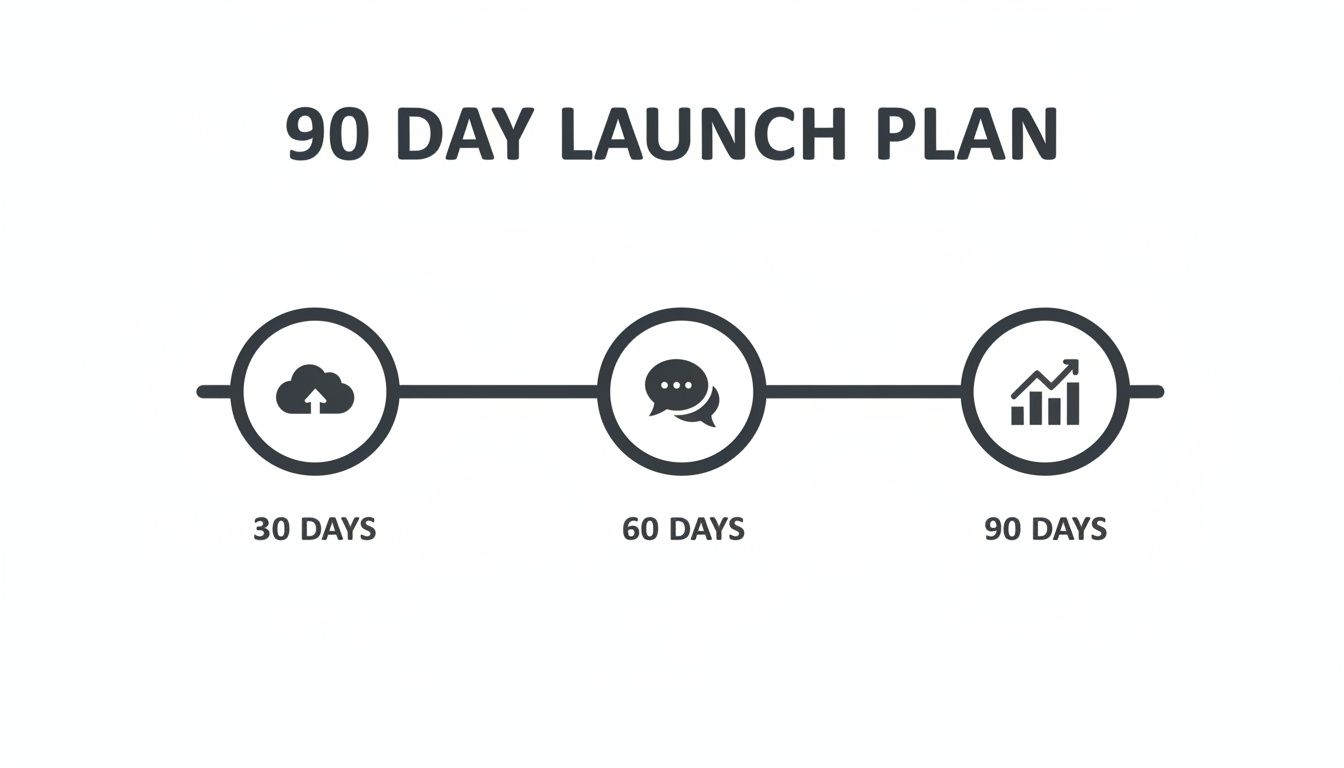
As you can see, the first month is all about laying the groundwork with consistent uploads. Then you move into building community, and finally, refining your strategy based on what the data tells you.
Ready to stop guessing and start creating content you know will perform? Vidito is an AI platform designed to help you find and validate viral video ideas before you ever hit record. It analyses real-time data to surface searchable topics, giving you the confidence to publish consistently and grow your channel faster. Start generating data-backed ideas today at https://vidito.ai.