Finding the Best Times to Post on YouTube for Maximum Views

You've probably heard that posting on weekdays between 3 PM and 5 PM is the way to go, and honestly, it's not bad advice. But the perfect time for your channel is as unique as your content. Think of these general windows as a solid foundation to build your strategy on, not the final word.
Your Quick Guide to Peak YouTube Posting Times
Figuring out when to post on YouTube can sometimes feel like you're just guessing. You've spent ages crafting an incredible video, but if you publish it when no one's around, it's like opening a shop in the middle of the night. You completely miss out on that vital initial surge of views that signals to the YouTube algorithm that your content is a hit.
The trick is to get your video live just before your audience's activity really kicks off. This gives YouTube a little time to index your video and get it ready to recommend right as people are starting to log on. It’s like serving a meal the moment your guests arrive – perfect timing makes all the difference.
Why General Timelines Are a Solid Starting Point
While your own channel's analytics are the ultimate source of truth, these widely accepted viewership patterns provide a brilliant first guess. Why? Because most people's lives follow predictable rhythms based on work, school, and social commitments.
This is exactly why late afternoons and early evenings during the week tend to work so well. People are finishing up their day, heading home, or looking for a bit of entertainment before dinner. Likewise, late mornings on the weekend are often a sweet spot because viewers have more free time to settle in and watch longer videos.
I see so many new creators make the same mistake: they upload their video the second it’s finished exporting. Your upload schedule isn't just the last step in production; it's a core part of your content strategy.
For another perspective, check out this excellent data-backed guide to the best time to upload video on YouTube. It provides some deep analysis that really complements these general starting points.
Let's take a real-world example. Imagine a gaming channel called Pixel Pioneers. At first, they were dropping videos on Friday mornings, thinking people were hyped for the weekend. But the initial views were always slow. They switched their schedule to Friday at 4 PM, and everything changed. They started catching viewers right as they were clocking off from work or school, and their first-day view count shot up simply because the timing matched their audience's natural downtime.
To give you a head start, here's a breakdown of these "golden hours" in a simple table. Use this as your initial roadmap, and in the next section, we’ll dive into your own analytics to refine it.
General Recommended YouTube Posting Times (Local Time)
Use these windows as a starting point. Your own channel analytics will provide the most accurate data for your specific audience.
| Day of the Week | Recommended Posting Window | Audience Rationale |
|---|---|---|
| Monday | 2 PM – 4 PM | Viewers are looking for a break to kick off the work week. |
| Tuesday | 2 PM – 4 PM | Viewing habits are similar to Monday as people settle into their routines. |
| Wednesday | 2 PM – 4 PM | A mid-week peak as people look for content to get them through the hump day. |
| Thursday | 2 PM – 4 PM | Anticipation for the weekend starts, and content consumption increases. |
| Friday | 12 PM – 3 PM | People start winding down early for the weekend, with activity picking up in the afternoon. |
| Saturday | 9 AM – 11 AM | Viewers are more active in the morning before weekend plans and activities begin. |
| Sunday | 9 AM – 11 AM | Similar to Saturday, morning is prime time before the "Sunday reset" for the week ahead. |
This table is a great launchpad. Now, let's move on to finding the data that will turn these general recommendations into a powerhouse schedule tailored specifically for your channel.
How to Pinpoint Your Audience's Peak Hours in YouTube Analytics
While those general posting windows are a decent starting point, your audience moves to its own rhythm. To really nail the best times to post, you need to stop guessing and start digging into your own data. The best tool for the job is already waiting for you inside YouTube Studio.
This is where you shift from theory to tangible results. Forget what works for everyone else; this is about finding the exact moments your community is online and ready to watch.
Finding the Viewer Activity Report
First things first, you need to find the "When your viewers are on YouTube" report. This little chart is your treasure map.
Getting there is simple:
- Log in to your YouTube Studio.
- Head to the Analytics tab on the left.
- Click on the Audience tab along the top.
- Scroll down, and you'll see the report titled "When your viewers are on YouTube."
This report shows you the days and times your audience was most active on the platform over the last 28 days. It's an absolute goldmine of information that tells you precisely when your content will make the biggest splash right out of the gate.
How to Read the Peak Hours Chart
At first glance, it just looks like a purple grid. But each shade tells you something important about your audience. The lighter the purple, the fewer of your viewers are online. The darker the shade, the more people are actively watching. It’s that straightforward.
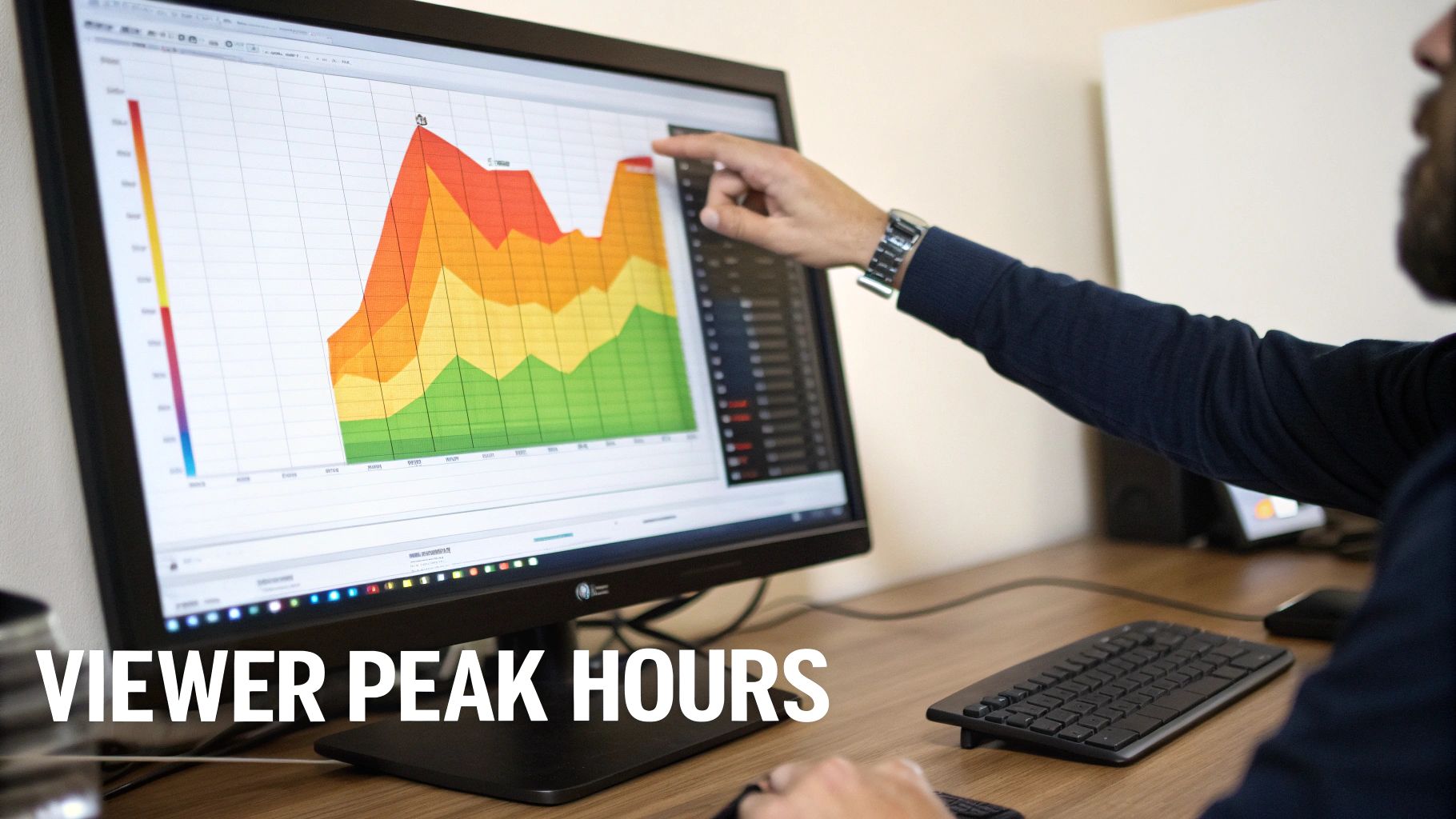
The darkest purple bars are your "golden hours"—the prime moments when a new video has the best chance of getting immediate traction.
Your YouTube Analytics doesn’t just show data; it tells a story about your audience's daily life. Those darkest purple bars aren't just peak times; they are your viewers saying, "We're here and ready to watch."
Let’s look at a real-world example. Imagine a UK-based cooking channel, 'Kitchen Creations', that was posting videos on Friday afternoons based on some generic advice. After looking at their analytics, they saw the darkest purple bars were clustered around 8 PM on Wednesdays. They decided to run a test.
The results were immediate. By shifting their schedule to Wednesday evenings, 'Kitchen Creations' saw a 30% jump in their first-48-hour views. That one little insight, pulled directly from their own data, completely changed their launch performance.
Using This Data to Build Your Baseline Schedule
Now that you’ve found these peak times, you can build an initial schedule. But here's a pro tip: don't post at the peak. Post just before it.
Aim to publish one to two hours before the darkest purple bars appear. This gives YouTube's algorithm time to index your video, process it in HD, and start pushing it into subscriber feeds. That way, when the wave of your viewers logs on, your video is already there waiting for them.
- Peak time is 8 PM? Publish between 6 PM and 7 PM.
- Peak time is 4 PM? Schedule your upload for 2 PM or 3 PM.
This proactive approach helps you catch the full momentum of that viewership wave instead of playing catch-up.
Your analytics report is a living document, not a one-and-done deal. Audience habits change with the seasons, holidays, or even shifts in your content. Make a habit of checking this report monthly to keep your schedule fine-tuned. For more advice on growing your channel, check out our guide on https://www.vidito.ai/blog/how-to-get-subs-on-youtube.
And if you want to get even more granular, third-party tools with advanced analytics features can offer deeper insights into how your audience behaves across different platforms, giving you a more complete picture.
Getting to Grips with Time Zones and Niche Habits
That "When your viewers are on YouTube" report is a great starting point, but it only tells half the story. It shows you when your audience is active in your local time, but it doesn't show you where they are in the world. And let's be real, your audience isn't a monolith sitting in one room; they're usually scattered across different countries, each with their own daily rhythm.
Figuring out this geographical spread is the next critical step. Publishing a video at 7 PM in London might be perfect for your UK crowd, but you'll completely miss your viewers in Los Angeles, who are just starting their workday at 11 AM. A truly optimised schedule has to account for these global differences.
Uncovering Where Your Audience Lives
Your first port of call for this detective work is the 'Top Geographies' report. You'll find it right under the 'Audience' tab in your YouTube Analytics. This report breaks down your viewership by country, showing you exactly where your content is making an impact. Prepare to be surprised.
I’ve seen creators based in Manchester assume their audience is overwhelmingly British, only for the 'Top Geographies' report to reveal that 35% of their views actually come from India and another 20% from the Philippines. That single piece of data changes everything. What seemed like a simple scheduling decision suddenly becomes a complex time zone puzzle.
Finding the Time Zone 'Sweet Spot'
When your audience is split across major time zones, the goal is to find a "sweet spot"—a posting time that serves the largest chunks of your audience reasonably well, even if it's not perfect for every single person. It’s all about strategic compromise.
Let's look at a real-world example. A tech review channel, let's call them 'Tech Unboxed', is based in the UK. Their analytics showed a predictable 40% of their audience was also in the UK. The surprise came from their 'Top Geographies' report: a massive 30% of their viewers were on the US East Coast, a five-hour time difference.
Initially, they were posting at 8 PM GMT. This was great for their UK base but meant the video dropped at 3 PM EST in the US—a time when most of their American fans were still wrapping up at work. Their videos just weren't getting that crucial initial traction from across the pond.
So, they found a compromise. They shifted their posting time to 6 PM GMT.
- For the UK audience: The video now goes live during the evening commute and pre-dinner wind-down.
- For the US East Coast audience: The video is ready and waiting at 1 PM EST, perfectly timed for a lunch break scroll.
This small adjustment meant 'Tech Unboxed' could catch two major audience waves instead of just one, giving their first-12-hour view count a significant boost.
A great posting time isn't just about when your audience is awake; it's about aligning with moments of downtime in their day. A video published at the right time becomes a welcome break, not an interruption.
How Your Niche Dictates Viewing Habits
Beyond geography, your content's niche has a huge influence on when your audience tunes in. The best times to post on YouTube are heavily influenced by the type of content you create because different niches attract people with very different lifestyles.
A generic posting schedule rarely works. Why would it? A gamer's daily routine looks nothing like that of a DIY home improvement enthusiast.
Think about these niche-specific scenarios:
- Gaming Channels: Their audience is often younger, and they come alive late at night and on weekends. A prime posting window could be Friday at 9 PM, right as the weekend gaming marathons are kicking off.
- 'Study with Me' Channels: This audience is looking for motivation during study sessions. The best times are likely weekday mornings (around 9 AM) or during typical university revision periods in the evening (around 7 PM).
- Finance and Investing Channels: Viewers are often watching to keep up with market news. Dropping a video just before the stock market opens on weekday mornings can capture a highly engaged audience looking for their daily briefing.
- Family Vlogging Channels: The audience here is often parents. Their main viewing window might be later in the evening, around 8 PM or 9 PM, after they've finally got the kids to bed.
When you combine your geographical data with a deep understanding of your niche's unique habits, you move beyond generic advice. You start building a highly targeted, audience-aware strategy that treats your publishing schedule as the powerful growth tool it is.
How to Confidently Test and Validate Your Posting Schedule
Your YouTube Analytics data gives you a fantastic head start—a solid, data-informed hypothesis about when your audience is online. But that's all it is: a starting point. To turn that good guess into a reliable strategy, you have to test it in the real world. This is where you prove that your schedule is genuinely the best time to post on YouTube for your specific viewers.
Real validation doesn’t come from randomly changing your posting time week to week; that just creates noise in your data. What you need is a structured, repeatable framework. Think of it as a controlled experiment where you isolate the time variable, allowing you to see its direct impact on how a video performs.
Designing a Controlled Posting Experiment
Consistency is everything here. If you change too many things at once—like the video topic, thumbnail style, and the posting time—you'll have no idea what actually caused any shift in performance. The goal is to keep your content as consistent as possible so that the only significant difference is when you hit "publish."
Let's imagine a DIY channel wants to test whether a 6 PM or an 8 PM Thursday release gets more traction. They could run a simple A/B test over six weeks:
- Weeks 1-3 (Test A): Publish every Thursday video at exactly 6 PM.
- Weeks 4-6 (Test B): Switch things up and publish every Thursday video at exactly 8 PM.
By sticking to this for a few weeks, they can gather enough data to see a real trend, smoothing out any random spikes or dips. A single video's success could be down to a brilliant idea, but a clear pattern over three or more videos points directly to the schedule's effectiveness.
This structured process, illustrated below, shows how analysing your audience's location and habits should come before you even start testing.
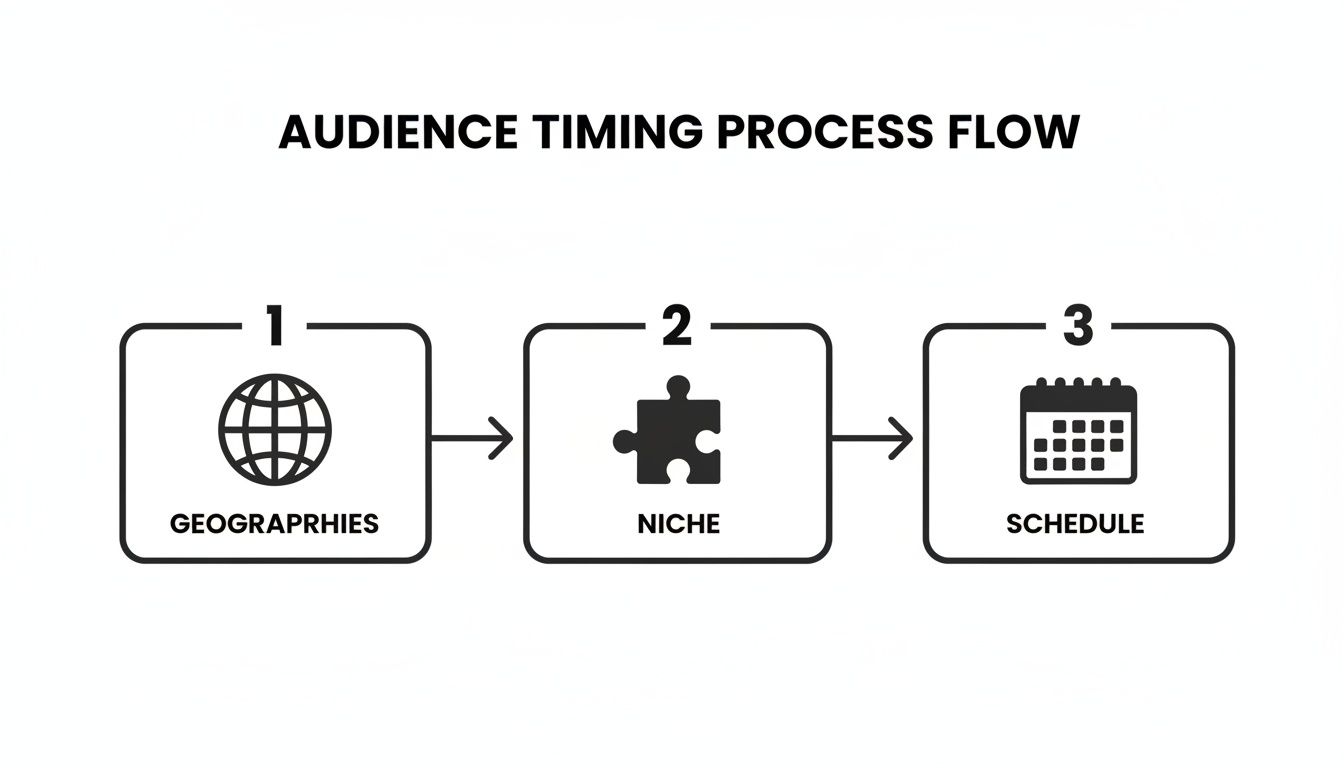
As you can see, a validated schedule is the final piece of the puzzle, not the starting point.
Key Metrics to Track During Your Test
While you're running your experiment, you need to know exactly what to look for. Success isn't just about the final view count. You want to zero in on the metrics that reflect immediate audience reaction and momentum with the algorithm, as these are most influenced by your timing.
Here are the four essential data points to monitor for each video in your test:
- First-Hour Views: This is your earliest indicator. A high number here is a strong sign you’ve caught your audience right when they’re ready to watch.
- First 24-Hour Views: This is arguably the most critical metric. A strong performance in the first day signals to the YouTube algorithm that your video is a hit, which dramatically increases its chances of being pushed to a wider audience.
- Audience Retention & Watch Time: Are the people who show up in those first few hours actually sticking around? High retention from this initial wave tells YouTube your video has substance, not just a flashy title.
- Click-Through Rate (CTR): A high CTR right out of the gate means your thumbnail and title are resonating perfectly with the audience that's online at that specific time.
Think of your test schedule like a scientific experiment. Your current posting time is your 'control group', and the new time is the 'variable'. Without consistent measurement, you're just guessing, not gathering intelligence.
At the end of the six-week test, it's time to compare the average performance of the 6 PM videos against the 8 PM videos. If the 8 PM slot consistently delivered, say, a 15% higher 24-hour view count and a better CTR, you’ve found your winner. Now you can confidently lock that in as your permanent Thursday slot.
This testing framework removes the guesswork. It ensures that when you find a schedule that works, you know it's because of strategic timing, not just a one-off viral video. To get even more organised with your uploads, check out our detailed guide on how to create a content calendar.
Tapping into UK Viewer Habits for Maximum Impact

Knowing the general rules of YouTube is one thing, but drilling down into specific regional trends can give you a real, tangible edge. This is particularly true in a massive and highly engaged market like the United Kingdom. Here, figuring out the best times to post on YouTube means getting in sync with the country's unique daily routines.
For any creator with a substantial UK-based audience, the weekday evening slot is an absolute goldmine for engagement. It’s not just a guess; it’s a strategy proven by hard data, built around the collective moment the nation winds down after a day at work or university.
Why the UK Evening Peak is So Powerful
Picture this: it’s between 7 PM and 9 PM on a weekday. A huge slice of the UK population has finished dinner and is settling down for the evening. This is prime time. People are actively looking for things to watch, and they’re ready to dive into content for longer stretches.
Dropping your video right in this window puts it front and centre for an audience that’s relaxed, focused, and primed to engage.
You only need to look at BBC Studios to see this strategy executed perfectly. They've absolutely dominated the UK YouTube scene by mastering this evening peak. By aligning their content drops with these key hours, they captured the highest YouTube watch time of all UK broadcasters.
Their timing wasn't just a minor adjustment—it was a central pillar of their success. The BBC nearly doubled their viewership year-on-year, pulling in a colossal 14 billion annual views and achieving a mind-boggling 56% growth rate.
This incredible growth came from a "fandom-first" approach, delivering exactly what their audience wanted, precisely when they were most likely to be online. It’s a powerful lesson in how deeply understanding viewer habits can transform a channel from good to truly dominant.
The Mechanics Behind This UK-Specific Timing
The magic of the evening slot comes down to a simple mix of high viewer numbers and how people watch. The UK audience as a whole generates a staggering 391 billion views annually, and a massive chunk of that activity happens in the evening.
What's more, viewing habits here are very mobile-centric. People often find new videos on their phones while commuting home or just scrolling on the sofa. An evening post catches this wave of discovery perfectly, giving your video the initial momentum it needs to please the algorithm.
- It fits the daily rhythm: The 7 PM to 9 PM window aligns perfectly with the post-dinner chill-out period for millions across the country.
- It boosts initial engagement: Posting at peak time gives your video a powerful head start with views, likes, and comments, which signals to YouTube that it's worth promoting.
- It captures the mobile scrollers: This is the ideal time to reach people browsing their subscription feeds on their phones before they might switch to a TV or laptop.
For any creator serious about growing in the UK, nailing the best times to post on YouTube is a non-negotiable step. When you sync your publishing schedule with the natural rhythm of your audience, you’re giving your content the best possible launch. To explore this topic further, check out our deep dive into the best time to post on YouTube. The BBC's success is a brilliant case study reminding us that timing isn't an afterthought; it’s a cornerstone of a winning strategy.
Common Questions About YouTube Post Timing
Even when you think you’ve got a solid plan, a few tricky questions always seem to pop up around YouTube scheduling. Getting your timing right is as much an art as a science, and it often comes down to the little details about your specific content and audience. Let’s tackle some of the most common questions creators have.
How Long Should I Test a New Posting Time?
It’s tempting to judge a new time slot based on one video’s performance, but that’s a classic mistake. You need more data than that. I always recommend sticking with a new time for at least three to four weeks before making any conclusions.
This gives you a handful of data points, smoothing out any weird spikes or dips from a single video that might have gone viral or completely flopped for other reasons. Focus on the trends you see in the first 24-48 hour view counts and audience retention. A little patience here goes a long way; you might be sitting on a goldmine of a schedule but abandon it too soon.
Does Posting Frequency Change the Best Time to Post?
Absolutely. How often you upload has a huge impact on how critical your timing is. If you’re a daily vlogger, you have tons of chances to experiment. One video posted at an "off" time isn't going to sink your channel's performance for the week.
But if you only publish once a week? That upload is a major event.
For weekly creators, hitting that peak viewing window is everything. You need to maximise that initial momentum. The algorithm loves videos that pop off right after they launch, so nailing the timing is far more important when you post less frequently.
Should I Post Shorts and Long-Form Videos at the Same Time?
I wouldn't recommend it. Shorts and long-form videos are watched in completely different ways, and you should schedule them accordingly. Think about it: Shorts are for quick dopamine hits during a lunch break or a commute. Longer videos are for when people have time to settle in, usually in the evening.
A great example is the channel Finance Explained. They noticed their Shorts did brilliantly when posted between 12 PM and 2 PM, catching that midday scroller crowd. But their deep-dive market analysis videos? Those consistently took off when scheduled for 8 PM, right when their audience was kicking back and ready to learn. By splitting the schedule, they won on both fronts.
What if My Analytics Show No Clear Peak Time?
This is super common, especially for new channels or those with a very spread-out global audience. If you look at your 'When your viewers are on YouTube' report and just see a flat sea of light purple, don't panic.
Your best bet is to fall back on general best practices. Start by testing weekday late afternoons (think 4 PM - 6 PM) and weekend late mornings (around 10 AM - 12 PM). These are solid, safe windows that catch broad viewing trends in most places. As your channel grows, those darker purple bars will start to appear, and you can begin fine-tuning your schedule with real data.
Finding the perfect time to post is just one piece of the puzzle. The next step is consistently generating ideas that your audience will love. Vidito uses AI to help you discover, validate, and organise viral video concepts on autopilot. Stop staring at a blank screen and start creating with data-backed confidence. Discover your next viral video idea with Vidito today.