how to start youtube channel: UK Edition for new creators
So, you’re thinking about starting a YouTube channel. That’s brilliant. But before you even think about hitting record, the most important work happens. It’s not about having the fanciest camera; it’s about having a crystal-clear idea of who you’re making videos for and what you’re going to give them.
Your Blueprint for UK YouTube Success
Launching a YouTube channel here in the UK is a massive opportunity. We’re talking about a highly engaged, huge audience. Get this: there are over 54.8 million Brits using the platform, which is nearly 80% of the population. We actually rank third in the world for views per person – we just love watching videos. If you want to dig into the numbers, these UK YouTube user statistics really show the scale of the audience waiting for you.
This means a well-thought-out channel can definitely find its tribe and grow. But success on YouTube is never an accident. It’s built on a solid foundation, and that foundation is your niche.
Finding Your Niche: The First, Crucial Step
Before you spend a penny on equipment, you have to answer the big question: "What will my channel actually be about?" Your niche is the specific topic or community you serve. It's the difference between a vague "cooking channel" and a much more compelling "budget-friendly vegan meals for UK university students." Being specific is your secret weapon.
Why does it matter so much? A tight focus helps you:
- Attract a loyal audience: People subscribe when they know you’ll consistently deliver the content they’re passionate about.
- Stand out from the crowd: It’s far easier to become the go-to expert in a smaller field than to be a tiny fish in a massive, crowded ocean.
- Make content creation simpler: When you know your topic inside and out, coming up with new video ideas becomes a breeze.
This simple workflow is a great way to think about it – moving from big, broad ideas to a sharp, defined niche.
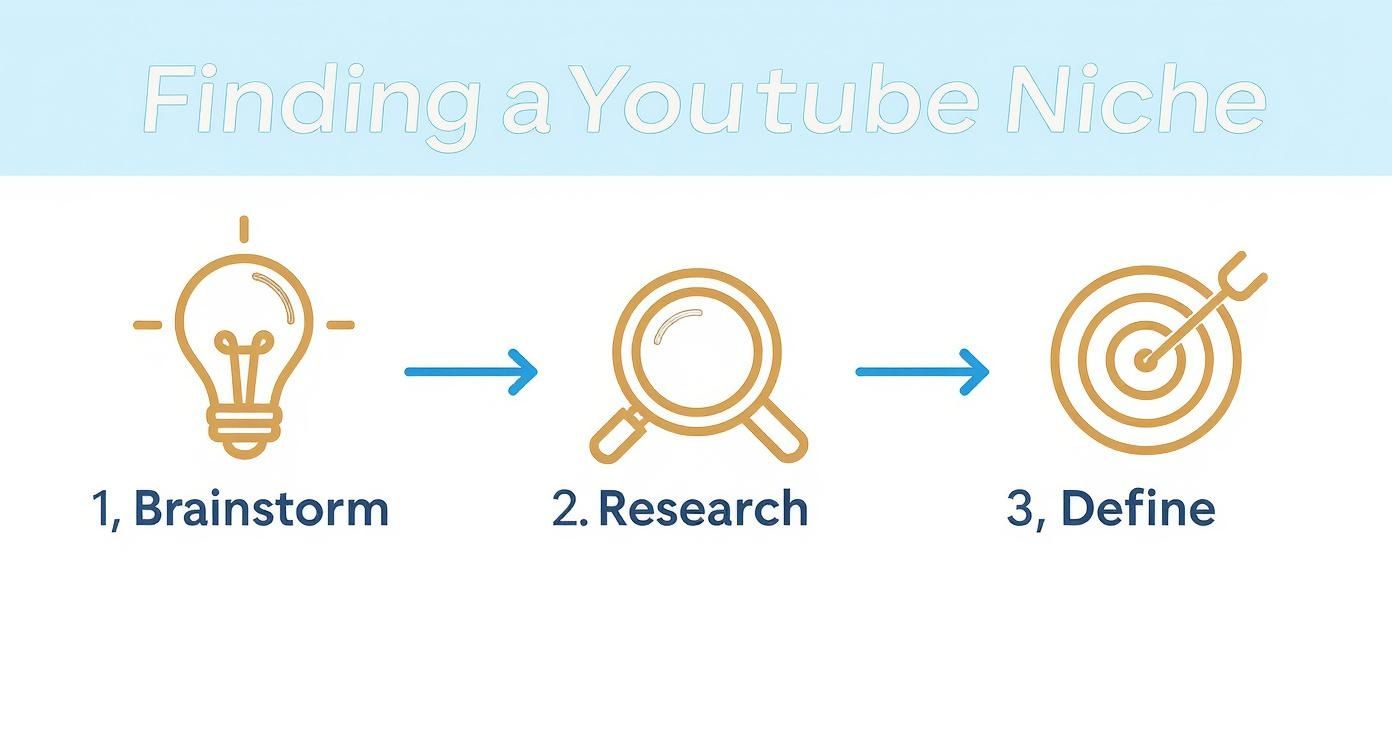
Following this process helps ensure your channel isn't just a passion project, but a concept that already has an audience waiting for it.
Learning From Successful UK Creators
Just look at some of the UK's biggest creators for inspiration. Joe Wicks, "The Body Coach," didn't launch a generic fitness channel. He honed in on "quick, home-based HIIT workouts for busy people," a niche that absolutely exploded. Then there's Patricia Bright, who started in fashion but cleverly carved out a new niche in personal finance and entrepreneurship for the very same audience that had grown up with her.
Case Study: Finding a Hyper-Specific Niche
Take the channel "English Like A Native." It isn't just a generic English language channel. Creator Anna Taylor specifically targets non-native speakers who want to understand and master British accents and slang. This tight focus has allowed her to build a massive, loyal community of over 3 million subscribers by serving a very specific need that broader channels were ignoring. Their success wasn't just about being charismatic; it was about spotting a specific need in the UK market and serving it with relentless consistency.
Does Your Idea Have Legs? Time to Validate It
Once a niche starts to form in your mind, you need to check if it's actually viable. Your first stop is YouTube itself. Search for your topic. Who are the big names? What types of videos are they making? More importantly, what are they not making? Dive into the comments sections – they are an absolute goldmine for figuring out what viewers want more of, or what they're complaining about. Those are the gaps you can fill.
Ask yourself these three critical questions:
- Is anyone even watching? Are people actively searching for and consuming videos on this topic?
- Can I keep this going? Try to brainstorm 20-30 potential video ideas right now. If you struggle, the niche might be too narrow.
- Do I actually care about this? Trust me, your passion (or lack of it) will shine through on camera. You need to be interested enough to keep going when the views are low.
To help you think this through, here’s a simple framework tailored for the UK market.
UK YouTuber Niche Selection Framework
Use this table to weigh up your options and see which idea has the most potential. It’s a quick way to apply some logic to your creative spark.
| Evaluation Criteria | What to Look For | UK-Specific Example |
|---|---|---|
| Your Passion & Expertise | Can you talk about this for years? Are you genuinely excited by it? | A passion for restoring classic British cars (e.g., Mini, MG). |
| Audience Size & Demand | Are there active UK-based communities (forums, Facebook groups)? Is the topic trending on Google Trends UK? | The growing interest in UK "staycations" and wild camping. |
| Monetisation Potential | Are there UK brands who would sponsor this content? Can you sell products or services? | A channel on homebrewing craft beer could attract affiliate links for UK-based suppliers and sponsorships. |
| Competition Level | Is the space dominated by huge channels, or is there room for a new voice? Can you offer a unique angle? | While UK personal finance is competitive, a niche on "Navigating ISAs and pensions for UK freelancers" is more specific. |
By working through this, you can move past just a cool idea and land on a properly validated niche.
This initial planning, moving from a broad interest to a specific, validated niche, is the single most important part of learning how to start a YouTube channel that not only launches but lasts.
Crafting Your Channel's First Impression

Think of your YouTube channel page as your digital shop window. It’s often the first thing a potential subscriber sees, and you’ve got just a few seconds to make them want to come inside. A polished and professional look is absolutely vital if you want to turn a casual viewer into a loyal fan.
This isn't just about ticking boxes in the settings. It’s about building a brand that tells people exactly who you are and what you offer, right from the get-go. Let's walk through how to build a channel that looks the part from day one.
The Technical Foundations
Before we get into the creative stuff, there are a couple of housekeeping tasks to sort out. Getting these right from the start unlocks key features and makes managing your channel much easier down the line, especially if you think you might collaborate or even run more than one channel in the future.
The very first thing you should do is create your channel using a Brand Account, not your personal Google account. This is a non-negotiable step for anyone serious about how to start a YouTube channel properly. A Brand Account means other people can help manage the channel without having access to your personal email, and you can run multiple channels from one login. Simple.
Once the channel is live, your next job is to verify it.
- Head to YouTube Studio: You’ll find this under
Settings>Channel>Feature Eligibility. - Verify Your Phone Number: This quick step is crucial. It lets you upload videos longer than 15 minutes and, most importantly, add custom thumbnails. Trust me, custom thumbnails are absolutely essential for getting clicks.
Without verification, you're stuck with whatever random frame YouTube picks from your video, and they rarely look good.
Choosing a Name That Sticks
Your channel name is your identity on the platform. It needs to be memorable, easy to spell and say, and ideally, hint at what your content is all about. You’ve got a few solid options here:
- Your Name: Perfect for personal brands, coaches, or vloggers (think Ali Abdaal).
- A Descriptive Name: Tells people exactly what you do (like Binging with Babish).
- A Creative/Brandable Name: Something unique that sparks curiosity (e.g., Sidemen).
A great UK example is SORTEDfood. The name is catchy, it clearly signals the food niche, and it positions them as the answer to your cooking problems. It’s short, brandable, and you know what you’re getting.
Designing Your Visual Identity
With a name sorted, it's time to create the visuals that will define your brand: your profile picture and your channel banner. Consistency and a professional look are key.
Your profile picture (or avatar) is your tiny billboard. It needs to be a crisp, high-quality headshot or a clean, simple logo. It shows up everywhere—on your channel page, in the comments, under every video—so it has to be recognisable even at a tiny size.
Your channel banner is your prime piece of digital real estate. When someone lands on your page, this banner has to instantly tell them three things:
- What is this channel about?
- Who is this for?
- When can I expect new videos?
A powerful channel banner is more than just a pretty picture; it's a marketing tool. It needs a clear tagline and your upload schedule (e.g., "New Videos Every Sunday") to manage expectations and give people a reason to subscribe.
Take a look at the banner for UK tech creator Mrwhosetheboss. It's got a high-quality photo of him with tech, a clean logo, and a simple tagline. You immediately understand his niche and his authority without having to read a thing.
Writing an About Page That Converts
Finally, whatever you do, don't sleep on your 'About' page. So many new creators ignore this, but it’s a massively underrated part of your channel. It’s your chance to speak directly to new viewers and to the YouTube algorithm.
A great 'About' page is written for people but optimised for search. Kick it off with a compelling one-sentence summary of what you offer. From there, expand a bit on who you are and what viewers will get by subscribing to your channel.
Most importantly, you need to sprinkle in relevant keywords for your niche. If your channel is all about "vegan baking in the UK," then phrases like "plant-based recipes," "dairy-free desserts," and "British vegan treats" should appear naturally in your text. This is how you help YouTube understand your content so it can recommend it to the right audience—a massive boost for any new channel.
Don’t Spend a Fortune: Getting Kitted Out on a Budget
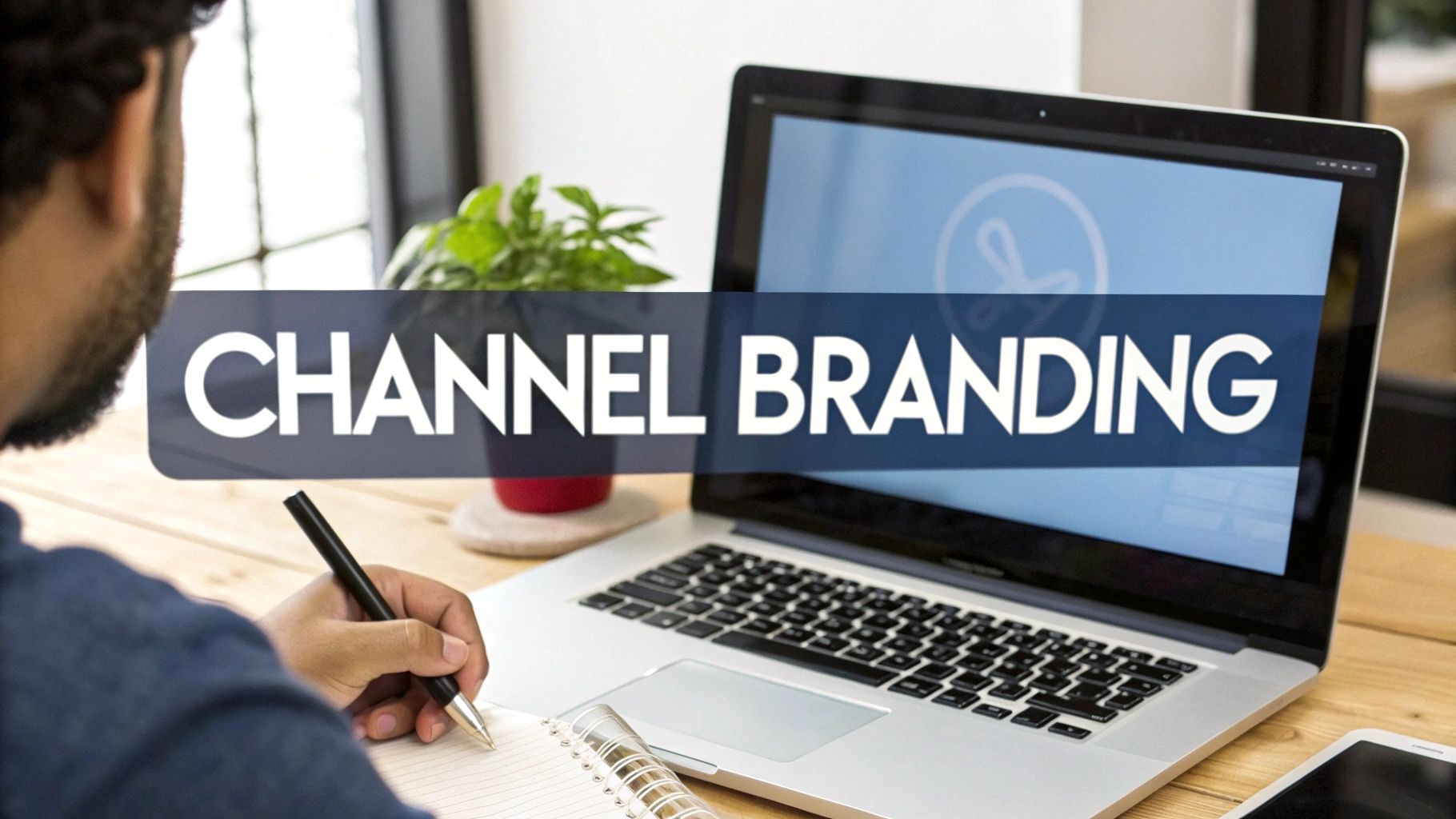
Let's debunk a huge myth right away: you absolutely do not need a room full of expensive cameras and lights to start a YouTube channel. The reality is, you likely already have the most crucial piece of kit in your pocket. Your smartphone.
Modern phone cameras are incredible bits of technology, and with a few simple techniques, they can produce genuinely professional-looking video. Before you even think about opening your wallet, nail the fundamentals. Film in a well-lit room—natural light from a window is your best friend—and for goodness sake, keep your phone steady.
A shaky, dark video will have viewers clicking away faster than anything else, regardless of how fancy the camera is. My advice? Start with what you've got, prove your content idea works, and only then think about investing in gear.
Your Smartphone is Your Starting Point
That camera in your pocket is more than good enough to get you started. It can shoot high-quality, crisp video that will look fantastic on YouTube.
To get the best results from your phone, here are a few non-negotiable tips I’ve learned:
- Use the back camera: It's almost always a much higher quality sensor than the front-facing selfie camera.
- Shoot in landscape: Always. This fills the screen on YouTube and just looks far more professional than vertical video (unless you’re specifically making Shorts).
- Lock your focus and exposure: Before you hit record, just tap and hold on your face (or subject) on the screen. This stops the camera from annoyingly shifting focus and brightness while you're talking.
- Wipe your lens: It sounds painfully obvious, but a quick clean with a microfibre cloth makes a world of difference.
Once you’ve got these simple habits down, you can consider a few small, cheap upgrades that will give you the biggest bang for your buck.
Smart Upgrades for Maximum Impact
You don't need to buy everything at once. If you have a little bit of budget, pour it into the two areas that make the most noticeable difference to quality: audio and lighting. Viewers will forgive video that isn't perfectly sharp, but they will not tolerate bad audio.
Audio is Your First Priority
I can't stress this enough: bad audio is a channel killer. An external microphone is the single best investment you can make.
- Lapel (Lavalier) Mics: These little mics clip onto your shirt and are brilliant for any videos where you're talking to the camera. You can get a perfectly good wired one that plugs into your phone for under £20, and the improvement over your phone's built-in mic is staggering.
- USB Mics: If you plan on recording at a desk for voiceovers or tutorials, a USB mic is the way to go. Models like the Blue Yeti or Rode NT-USB Mini give you that rich, broadcast-quality sound. They're more of an investment but are a superb choice for a static setup.
Practical Example: The popular UK finance channel "PensionCraft" often features the host speaking directly to the camera at a desk. The audio is always crystal clear, likely using a high-quality USB mic. This clarity is crucial for building trust and authority, especially when discussing complex financial topics. Bad audio would completely undermine their credibility.
Lighting is Your Second Priority
Good lighting is what separates a video that looks 'homemade' from one that looks professional. It makes you look sharper on camera, gets rid of unflattering shadows, and helps even a basic smartphone camera perform at its absolute best.
A simple ring light is a fantastic, affordable starting point. You can find them on Amazon for as little as £30 here in the UK. They provide a soft, even light that's perfect for filming at a desk. If you have a bit more space, a basic softbox kit will give you more flexibility to light a larger area.
Free and Affordable Editing Software
Okay, you've filmed your video. Now you need to edit it. The great news is you don’t need to drop hundreds of pounds on software to get a polished, professional result.
DaVinci Resolve has a free version that is ridiculously powerful—it's professional-grade software used on Hollywood films, and the free version has more than enough features for any new YouTuber. If you find it a bit intimidating or prefer editing on your phone, CapCut is a brilliant and hugely popular free app.
For a rundown of the top contenders, it's worth checking out a guide on the best free video editing software for beginners to see what clicks with your style. The key is to just pick one, learn the basics, and get comfortable with it. Don't waste weeks trying to master every single effect; focus on clean cuts, simple text, and making sure your sound levels are spot on.
Planning and Creating Your First Videos
You've got a brilliant channel idea and a decent setup ready to go. That’s a fantastic start, but the real work begins now. This is where you turn that concept into a steady stream of videos people actually want to watch, ensuring you don’t hit a creative wall after your third upload.
Having a solid plan doesn't just make filming easier; it builds a loyal audience that knows exactly what to expect from you and when.
The YouTube scene in the UK is buzzing, but that also means it’s competitive. Brands are taking notice, with the number of sponsored videos from UK creators jumping by a massive 54% in early 2025. On top of that, more than 58% of creators now use AI tools to streamline their workflow. This just goes to show how vital a clear, consistent plan is if you want to stand out. If you're curious about the numbers, you can explore the latest YouTube creator statistics.
A simple content framework is one of the best ways to get organised. It helps you build a varied upload schedule that serves different types of viewers and keeps your channel feeling fresh.
Structuring Your Content with the Hero, Hub, Help Model
One of the most effective frameworks I've seen in action is the 'Hero, Hub, Help' model. It’s a straightforward way to categorise your ideas to pull in new viewers while keeping your regulars happy and engaged.
Here’s how it breaks down:
- Help Content: This is your foundation. Think of these as evergreen, searchable videos that solve a specific problem for your target audience. They’re the "how-to" guides, tutorials, and reviews people are actively searching for. For a UK gardening channel, a perfect 'Help' video would be "How to Grow Tomatoes in a Small UK Garden."
- Hub Content: This is the regular, scheduled content you create for your subscribers. It’s all about building a community and giving people a reason to come back. This could be a weekly vlog, a special series, or behind-the-scenes footage that lets your personality shine.
- Hero Content: These are your big, show-stopping videos. The goal here is to create something with viral potential that can attract a massive new audience. They take a lot of effort and aren't frequent, but they can be game-changers. Think huge project reveals, collaborations, or a powerful documentary on a trending topic.
Case Study: The Hero, Hub, Help Model in Action
Look at the UK car channel "Carwow." Their Help content consists of thousands of in-depth car reviews that people search for daily. Their Hub content is their regular drag race series, which keeps subscribers coming back every week for the entertainment. And their Hero content might be an epic, high-budget special like "Racing a Bugatti Against a Fighter Jet," designed to go viral and attract a huge new audience.
A well-oiled content strategy lives and dies by its plan. To really get a handle on mapping out your uploads, check out our guide on how to create a content calendar.
From Idea to Engaging Script
Look, you don't need a perfectly polished, word-for-word script for every video. But heading into a recording with zero plan is a recipe for rambling. Even a simple outline or a few bullet points can work wonders, keeping you focused and ensuring your message lands clearly.
For a tutorial, your outline might look something like this:
- The Hook: Grab their attention by stating the problem you're solving within the first 15 seconds.
- Quick Intro: Briefly explain what you’ll be covering and what they’ll achieve by the end.
- The Steps: Break the process down into clear, easy-to-follow stages.
- Common Mistakes: Point out a few pitfalls. This adds huge value and shows you know your stuff.
- Wrap-up & CTA: Summarise the key takeaway and, of course, ask them to subscribe.
For something more casual like a vlog, the structure is looser but still crucial. Think about the key moments or locations you want to highlight to create a compelling story, not just a random montage of clips.
A great video feels effortless and natural, but that feeling is almost always the result of careful planning. An outline gives you the freedom to be yourself on camera because you're not worrying about what to say next.
Essential Filming Tips for Beginners
With your plan in place, it’s finally time to hit record. The key to consistency, especially when you're just starting out, is creating a filming process that's simple and repeatable.
Your filming spot doesn’t need to be a high-tech studio, but it should be consistent. Find a spot with a clean, uncluttered background that fits your channel’s vibe. And as we've already covered, good lighting and clear audio are absolutely non-negotiable.
When you’re on camera, try to speak with clarity and energy. It helps to imagine you’re chatting with a friend rather than staring into a lens. It will feel awkward at first, but I promise it gets easier with practice. Try to vary your shots by mixing wide, medium, and close-up angles to keep your edit visually interesting.
Above all, just be yourself. Your unique personality is the one thing no one else has, and it’s your single biggest asset.
Mastering YouTube SEO to Get Discovered
Hitting that ‘upload’ button is a fantastic feeling, but it’s really just the beginning. Now comes the crucial part: making sure people can actually find your video. This is where YouTube Search Engine Optimisation (SEO) comes into play. It's the art of clearly telling YouTube’s algorithm what your video is about so it can get it in front of the right viewers.
It helps to think of YouTube as more than just a video platform; it's the second-biggest search engine in the world. Every single minute, people are typing questions and topics into that search bar. Your goal is to make your video the absolute best answer to one of those searches. Nailing this is a cornerstone of building a YouTube channel that grows on its own.
The Foundations of Discoverability
At its heart, YouTube SEO is all about sending clear, consistent signals. The algorithm analyses everything—your title, your description, your tags, and even the words you speak in the video—to figure out what it’s all about. When those signals are strong and aligned, YouTube becomes confident in recommending your content to a much wider audience.
Having poor SEO is like trying to whisper in a crowded room. Getting it right is like shouting your message through a megaphone, directly to the people who are eager to listen.
Your Most Powerful Tool: Keyword Research
Before you even think about writing a title, you need to get inside the head of your potential viewers and understand what they're actually searching for. This is called keyword research, and it’s the absolute bedrock of good SEO. The aim is to find phrases that people are looking for but aren't so popular that you'll be drowned out by bigger channels.
Start with a simple brainstorm. Let's say your video is about making sourdough bread in the UK. Your first ideas might be:
- "how to make sourdough"
- "easy sourdough recipe"
- "sourdough bread UK"
A great trick is to use the YouTube search bar's autocomplete feature. Type in your initial ideas and pay close attention to the suggestions that pop up. This is a goldmine for understanding what real people are looking for and uncovering longer, more specific phrases (often called "long-tail keywords"). If you want to dig even deeper, our guide on how to find low-competition keywords can help you find some brilliant opportunities.
Crafting Titles That Get Clicks
Your video title is your single most important piece of marketing. It has two critical jobs to do at once: satisfy the YouTube algorithm by including your main keyword, and intrigue a human enough to make them click.
A weak title is generic and uninspired, like "My Sourdough Recipe." A strong title, on the other hand, is specific and promises real value, such as "Fail-Proof Sourdough for Beginners: A Simple UK Recipe." See the difference? It includes a clear keyword ("sourdough for beginners") and speaks directly to a specific audience.
Case Study: The Power of a Title Tweak
Let's look at a creator in the home DIY niche. He posted a video titled "Building My Garden Shed" and it went nowhere. After a bit of research, he changed it to "How to Build a Garden Shed in One Weekend | UK Budget Build." The results were night and day. The new title targeted a specific search, set a clear expectation ("one weekend"), and appealed directly to a certain audience ("UK budget"). That small change made all the difference.
Writing Descriptions and Using Tags Effectively
Think of your video description as another chance to give YouTube more context. Don't just dash off a single sentence and call it a day. Aim for a detailed summary of 2-3 paragraphs that naturally weaves in your main keyword and a few related ones.
- Start Strong: The first two sentences are vital because they're what people see in search results. Hook them in and include your primary keyword here.
- Add Detail: Briefly explain what the video covers, what viewers will learn, and why it's worth their time to watch.
- Include Links: This is the perfect spot to add links to your social media or other relevant resources you mention.
Tags aren't as powerful as they used to be, but they still play a role. Make your main keyword the very first tag, then add some variations and broader topics. For our sourdough video, tags might include "sourdough recipe," "baking bread," "artisan bread," and "UK food." To really get the most out of your efforts, it's worth learning how to optimize videos specifically for YouTube from start to finish.
Putting all these elements together can feel like a lot to remember for every single video. That's why I've put together a quick checklist to help you stay on track.
YouTube SEO Checklist for Every Upload
This simple table outlines the essential SEO steps to run through before you publish. Following it consistently will give every video the best possible chance to be discovered.
| SEO Element | Action Required | Why It Matters |
|---|---|---|
| Keyword Research | Identify a primary keyword and 2-3 secondary keywords before filming. | Ensures your video is about a topic people are actively searching for. |
| Compelling Title | Write a title (under 70 characters) including the primary keyword. Make it intriguing. | The #1 factor for both clicks and algorithm ranking. |
| Optimised Description | Write a 200+ word description. Place your primary keyword in the first two sentences. | Provides crucial context to the algorithm and convinces viewers to watch. |
| Strategic Tags | Add 5-10 relevant tags, starting with your primary keyword. | Helps YouTube categorise your video and connect it to similar content. |
| Custom Thumbnail | Design a bright, high-contrast thumbnail with a clear focal point and minimal text. | This is what grabs a viewer's attention and makes them stop scrolling. |
| Subtitles/CC | Upload or edit auto-generated captions for accuracy. | Makes your content accessible and gives the algorithm a full transcript to analyse. |
| Playlist Addition | Add the video to at least one relevant, keyword-optimised playlist. | Increases session watch time and helps organise your content for viewers and the algorithm. |
By treating this checklist as part of your standard publishing routine, you'll be sending all the right signals to YouTube, every single time.
The Unspoken Hero: The Thumbnail
Your thumbnail's one and only job is to stop the scroll. It works in tandem with your title to earn that all-important click. A brilliant thumbnail is bright, clear, and has an obvious focal point—often a person's face showing a strong emotion. Use minimal, bold text that adds to the title, rather than just repeating it.
Let's compare a poorly optimised video with one that’s primed for success:
Poorly Optimised:
- Title: Vlogging Day
- Thumbnail: A blurry, dark, automatically generated screenshot from the video.
- Description: "A fun day out."
Highly Discoverable:
- Title: A Day Trip to Edinburgh Castle: What To See & Do on a Budget!
- Thumbnail: A bright photo of the creator smiling in front of the castle with bold text: "EDINBURGH ON A BUDGET".
- Description: A detailed paragraph explaining the video's itinerary, travel tips, and cost breakdown, using keywords like "Edinburgh travel guide" and "things to do in Scotland."
This level of detail and thought is precisely what separates the channels that languish from those that get discovered.
Launching and Navigating Early Growth
You've done it. Your first videos are edited, optimised, and actually live on your channel. Take a moment to appreciate that—it's a massive milestone. But hitting 'publish' isn't the finish line; it’s the starting pistol for the next phase of your journey. Now, the real work begins: getting those initial views and starting to build a community around your content.
The first few months are all about creating momentum from a standing start. Your immediate goal is to get your content in front of anyone who might be remotely interested, and that usually begins with your own network.
Share your new videos on your personal social media, drop a link in a relevant Facebook group, or post it on a subreddit where it adds real value. The key here is to share helpfully, not just to spam. Frame your post as, "I created this video to explain X, hope it helps!" instead of just, "Hey, watch my new video!" People respond to value, not demands.
Understanding Your YouTube Analytics
Once you've got a handful of videos out there and maybe a few hundred views trickling in, it’s time to get friendly with YouTube Analytics. I know, the dashboard can look like the cockpit of an aeroplane at first, but it’s the single best tool you have for figuring out what’s working and what isn’t.
Don't overwhelm yourself by trying to track every single metric. To start, just zero in on two critical numbers.
These are the metrics that tell you the most about your content's health early on:
- Impressions Click-Through Rate (CTR): This is simply the percentage of people who clicked your video after YouTube showed them its thumbnail and title. If your CTR is consistently below 4%, it’s a strong signal that your thumbnail or title (or both) just isn't compelling enough to earn the click.
- Audience Retention: This graph is pure gold. It shows you, second by second, when people are clicking away. Is there a massive drop in the first 30 seconds? Your intro is probably too slow. Does everyone bail at the same spot in the middle? Go back and watch that section—was it boring, confusing, or was the audio terrible?
By keeping a close eye on just these two metrics, you can move from guessing to making genuinely data-informed decisions. For instance, a high CTR but poor retention is a classic sign that your thumbnail and title are making a promise that the video itself doesn't deliver on.
Turning Feedback into Fuel for Growth
Your comments section is far more than a place for praise (or criticism). It’s a direct line to your audience and an absolute goldmine for future video ideas. In the early days, make a point to engage with every single comment you get. This not only helps build a loyal, tight-knit community but also sends positive signals to the YouTube algorithm that your content is sparking conversation.
Pay special attention to the questions people ask. If you see multiple viewers asking for more detail on the same point, that’s your next video idea handed to you on a silver platter. This feedback loop is what separates channels that grow from those that stagnate.
Practical Example: A small UK-based woodworking channel posted a video on building a simple bookshelf. In the comments, several people asked how he achieved such a smooth finish on the wood. Recognising this trend, his very next video was a deep-dive tutorial titled "My 5-Step Process for a Perfect Wood Finish," which performed even better than the original project video because it directly answered a question his audience was asking.
Setting the Stage for Monetisation
Thinking about making money right now might feel a bit premature, but it’s smart to understand the possibilities from day one. Monetisation opportunities for UK creators have grown massively in recent years.
Globally, YouTube has paid out over $70 billion to creators in the last three years alone. Creators can typically earn between $1.61 and $29.30 for every 1,000 views, and UK rates are often very competitive, especially in popular niches. What's really interesting is that 30% of creator income is now generated from viewers on TV screens, opening up bigger opportunities for things like brand sponsorships and YouTube Shopping.
Got Questions? We've Got Answers
Starting a YouTube channel can feel like venturing into the unknown, and it's natural to have a few questions swirling around. Let's tackle some of the most common ones we hear from new creators here in the UK.
How Much Money Can a New YouTuber in the UK Actually Make?
Let's be blunt: at the very beginning, you’ll make nothing. YouTube has a specific threshold you need to cross before you can earn money from adverts, which is managed through their YouTube Partner Programme. You'll need to hit 1,000 subscribers and 4,000 hours of watch time within a 12-month period.
Once you’re in, what advertisers are willing to pay (your CPM, or cost per mille) varies wildly. For UK creators, this can be anywhere from £2 to £15+ for every 1,000 views. A channel breaking down tax strategies for freelancers will command a much higher CPM than a family vlog, simply because of the audience advertisers are trying to reach.
So many creators get hung up on ad revenue, but it's often just the tip of the iceberg. I've seen countless UK channels find that affiliate marketing, brand deals, and selling their own digital products or merch quickly outstrip what they earn from ads. Think bigger from day one.
Do I Need to Register as a Business to Start a YouTube Channel?
No, you don't need to go out and register a limited company before you've even uploaded your first video. That would be overkill.
However, the moment you earn your first penny from your channel, that's business income. Whether it’s a few quid from an affiliate link or your first ad payment, you have to declare it to HMRC.
The simplest and most common route for UK YouTubers is to register as a sole trader. It's straightforward and gets you on the right side of the taxman. My advice? Start a simple spreadsheet to track every penny in and every penny out from the very beginning. Once things get a bit more serious, find an accountant.
What Kind of Videos Are Actually Popular in the UK Right Now?
Sure, the giants of gaming and lifestyle are always going to pull in massive numbers—we all know names like DanTDM and Zoella. But the UK YouTube scene is so much more interesting than that. There are thriving communities built around everything from tech deep-dives and comedy sketches to historical documentaries and niche crafts.
Don't fall into the trap of chasing what's already huge. The real key to growth is authenticity. Viewers can spot a fake a mile off. Your genuine passion for a topic is what will attract a loyal, engaged audience that sticks around.
Think about it this way: a generic "Cycling" channel is competing with everyone. But a channel dedicated to "Restoring vintage Raleigh bikes"? That serves a specific, passionate group of people and has a much better chance of building a real community.
Ready to stop guessing and start creating videos that get views? Vidito is an AI ideation tool that helps you find, validate, and organise brilliant video ideas on autopilot. Stop staring at a blank screen and start building a content plan backed by real data. Find your next viral video idea with Vidito today