how to grow youtube channel: A Practical Guide
Growing a YouTube channel isn't about luck or just one viral hit. It’s about building a repeatable system that combines data-driven ideas, high-quality production, smart optimisation, and real community engagement. This framework is designed to get you out of the guesswork game and into creating content your audience is actively searching for—and will stick around to watch.
Your Framework for YouTube Channel Growth
Ready to get serious about your channel's growth? In today's crowded space, simply uploading videos and hoping for the best just doesn't cut it. The creators who truly succeed are the ones running on a clear, repeatable system that turns their creative passion into a predictable engine for growth.
This guide walks you through that very framework, step by step. We'll skip the vague advice and get straight into a process that covers a video's entire lifecycle. It all starts with finding ideas backed by real data, ensuring there's an audience before you even hit record. From there, it's about tightening up your production workflow for both quality and speed.
The Four Pillars of YouTube Success
Think of this process as a continuous cycle. Each stage naturally flows into the next, building momentum that propels your channel forward.
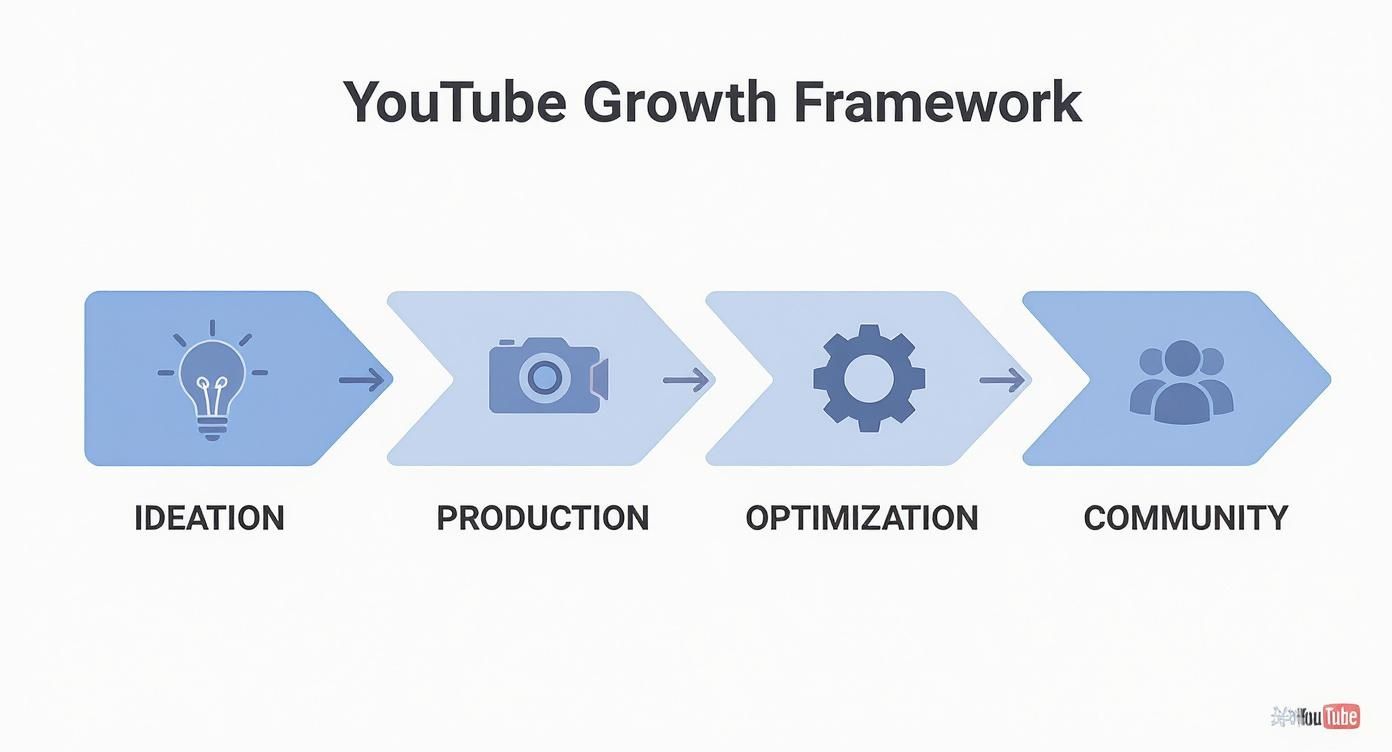
As you can see, growing your channel is less of a straight line and more of a loop. The insights you gain from optimising your videos and talking to your community should directly fuel your next batch of ideas. Getting this cycle right is how you build a truly loyal subscriber base.
The following table breaks down these four core pillars, showing you what to focus on and the key actions needed to master each stage.
The Four Pillars of YouTube Channel Growth
| Pillar | Core Focus | Key Actions |
|---|---|---|
| Ideation | Discovering topics with proven audience demand. | Keyword research, competitor analysis, trend spotting, and audience surveys. |
| Production | Creating high-quality, engaging video content efficiently. | Scripting, filming, editing, and establishing a consistent workflow. |
| Optimisation | Making your videos discoverable to the right audience. | Crafting compelling titles, descriptions, tags, and eye-catching thumbnails. |
| Community | Building a loyal and engaged subscriber base. | Responding to comments, creating community posts, and running polls. |
By consistently working on each of these areas, you create a well-rounded strategy that gives your channel the best possible chance to thrive.
The opportunity for UK-based creators is massive. YouTube is a staple of daily life here, and its reach just keeps growing. British audiences often have unique tastes and search behaviours, so a strategy that’s tailored to them can make a huge difference. You can dig into more detailed stats about the UK's YouTube audience over on Statista.
A consistent upload schedule is the backbone of this whole framework. It sets expectations for your audience and tells the YouTube algorithm that your channel is active and worth recommending.
Of course, staying consistent requires a plan. A solid content calendar is what keeps you from feeling overwhelmed, helping you manage everything from the initial idea to the final upload. To get that organised, have a look at our guide on how to create a content calendar.
Finding Video Ideas That Actually Get Views
Let’s be honest. The biggest reason most YouTube channels fail to grow is that creators make videos they think people want to see. To get real traction, you have to flip that script completely. Your starting point should always be topics with a built-in, hungry audience just waiting for new content.
This isn’t about chasing trends that die in a week. It’s about building a repeatable, data-backed system for coming up with ideas. Guessing leads to burnout and a library of videos with double-digit views. A smart approach, on the other hand, builds momentum and makes every minute you pour into filming and editing count.
Shifting from Guesswork to Data
The sweet spot you're looking for is where your channel's niche overlaps with what people are actively searching for on YouTube. The very best ideas often live in what’s known as a content gap—a space where viewer demand is high, but the supply of great videos is surprisingly low.
Instead of staring at a blank document, you can use a few simple, free tools to unearth these golden opportunities. You need to think like a detective, piecing together clues about your audience's biggest problems, questions, and curiosities.
- Google Trends: This is an absolute goldmine for understanding the rhythm and seasonality of a topic. You can compare different search terms to see which one has more genuine interest over time. A classic example? A search for "garden shed organisation" will always spike in the spring in the UK, making it the perfect topic to film for a March release.
- YouTube Search Autocomplete: This one is almost too easy. Start typing a broad topic into the YouTube search bar, like "beginner sourdough," and pay close attention to what YouTube suggests. These aren't random guesses; they are the exact phrases people are typing into the search bar right now.
- Competitor Analysis (The Smart Way): Don't just rip off other channels. Instead, go to a successful creator in your niche and click on their "Popular" videos tab. What themes pop up again and again? This is a clear signal of proven concepts that you can tackle with your own unique style. For instance, a creator like MrBeast noticed a huge appetite for "last to leave" challenge videos and built an entire content pillar around variations of that proven format.
The goal isn't just to find an idea; it's to validate it. Before you even think about hitting record, you should feel confident that a real audience exists for your video. This simple check is what separates the channels that grow from those that stagnate.
Validating Your Ideas Before You Film
Once you've got a list of potential topics, it's time to put them through a filter. A great idea needs to be relevant to your core audience and have a clear "searchability" factor. For every concept on your list, ask yourself these questions:
- Is it searchable? Does the title solve a specific problem or answer a question, like "How to Fix a Dripping Tap"?
- Is it discoverable? Does it tap into a wider trend or interest that could help it get picked up by the YouTube algorithm, like "Testing the Latest Viral Kitchen Gadget"?
- Can you create the best video on this topic? Seriously, look at the top-ranking videos for your keyword. Can you genuinely offer a more thorough explanation, better visuals, or a perspective that no one else has?
If you need a bit of a jump-start for your brainstorming, check out our guide covering different ideas for a YouTube channel. It’s packed with proven formats you can adapt to pretty much any niche.
Case Study: The Frugal Craftsman
A perfect UK-based example of this in action is a woodworking channel called "The Frugal Craftsman." When he started, the creator made beautiful, artistic vlogs about his projects, but growth was painfully slow. His subscriber count was stuck at around 2,000 for the better part of a year.
Then, he completely overhauled his strategy and went all-in on data. Instead of just filming whatever he felt like making, he dived into YouTube search and woodworking forums to find the most common questions beginners were asking. He quickly spotted a massive content gap around "building simple workshop storage with cheap timber."
His first video on the topic, "DIY Plywood Shelves for Under £50," got more views in a single month than his previous ten videos combined. He doubled down on this success, creating a whole series of videos that answered specific, high-demand questions like "Best Budget Hand Plane for Beginners" and "How to Sharpen a Chisel Without Expensive Tools."
The result? Within six months of making this strategic shift, his channel had tripled its subscriber base. He didn't magically become a better woodworker or a slicker editor overnight; he just started making content that people were already desperately looking for. His story is the perfect illustration of how aligning what you create with what people want is the single most powerful lever you can pull for growth.
Mastering YouTube SEO for Better Discovery
Let’s be honest: you can create the most incredible video in the world, but if nobody can find it, it might as well not exist. This is where getting to grips with YouTube Search Engine Optimisation (SEO) stops being a “nice to have” and becomes your most powerful tool for growth. Think of it as a digital signpost, guiding viewers directly to your content.
At its core, YouTube is a massive search engine. Your job is to send clear, consistent signals to its algorithm about what your video is and who it’s for. When you nail this, you stop hoping for views and start systematically attracting them.
And you need every advantage you can get. With around 69 million creators on the platform globally, just hitting 'publish' isn't enough anymore. For creators here in the UK, optimising your content for discovery isn’t just a good idea—it’s essential for building a channel that lasts.
Crafting Titles That Get Clicks
Your video title is the single most important bit of SEO real estate you own. It has to do two things at once: satisfy the YouTube algorithm with relevant keywords and make a real person want to click. It’s a delicate balancing act.
A killer title is both descriptive and intriguing. It absolutely must include the main keyword or phrase someone would search for, and you want to get it as close to the beginning as possible. This instantly tells both YouTube and the viewer, "Yes, this video is what you're looking for."
But a title stuffed with keywords just feels robotic. The real art is weaving your target keyword into a title that sparks curiosity or promises a clear benefit.
- A Bit Weak: "iPhone 15 Pro Max Review"
- Much Stronger: "iPhone 15 Pro Max Review: 6 Months Later (Is It Still Worth It?)"
See the difference? The second one still has the core keyword but adds a hook. It creates intrigue and promises an honest, long-term perspective you won't get from a standard unboxing video.
Writing Descriptions That Help People and Bots
The description box is a massively underused asset. So many creators just leave it empty or chuck in a couple of social media links. This is a huge missed opportunity to give YouTube more context about your video and guide viewers towards your other content.
Treat your description like a supporting document for your video. The first two or three sentences are the most important because they often show up directly in search results. Use this space to summarise what the video delivers and, if you can, naturally include your main keyword again.
A well-optimised description doesn't just help with rankings; it massively improves the viewer experience. By using timestamps to create chapters, you let people jump straight to the parts they care about. This can be a game-changer for your watch time and audience satisfaction.
Below that initial summary, you have room to expand. I always recommend writing a few short paragraphs that go into more detail about the topics you cover. This is the perfect place to sprinkle in secondary or related keywords. If you want to get a real edge, you should learn how to find low-competition keywords that your rivals are probably ignoring.
Case Study: Deconstructing a UK Tech Reviewer's SEO
Let’s look at how a successful UK tech channel, "The Tech Chap," puts this all into practice. His video on a popular laptop is a perfect example of these elements working together.
Video Title: "M2 MacBook Air Review - How I REALLY Use It!"
- The Keyword: "M2 MacBook Air Review" is right at the start, ticking the algorithm box.
- The Hook: "How I REALLY Use It!" is brilliant. It adds a personal, authentic angle that promises real-world insight, not just a dry list of specs. It immediately sets his video apart from hundreds of others with generic titles.
Video Description (First Few Lines): "My real-world review of Apple's M2 MacBook Air! After using it for everything from video editing to daily tasks, here's what you need to know before you buy. Is this the best laptop for most people in 2024?"
- Keyword Reinforcement: He immediately brings back "M2 MacBook Air" and related phrases like "best laptop."
- Value Proposition: It’s crystal clear what the video is about—a "real-world review" covering specific, relatable tasks.
Tags and Chapters:
- He’ll use a smart mix of broad tags like "MacBook Air" and more specific, long-tail tags like "M2 MacBook Air video editing" to catch different types of searches.
- Timestamps like "00:00 Intro," "01:30 Design & Ports," and "05:10 Performance" break the video into logical chapters. This not only helps viewers but also helps YouTube understand the structure and even feature these key moments in search results.
This cohesive strategy—aligning the title, description, and tags around one core topic—sends a powerful relevance signal to YouTube's algorithm. It's why his videos rank high in search and get recommended to the right audience. To really get ahead of the curve, it’s worth diving into more comprehensive YouTube SEO tips to make sure every part of your video is working for you.
Designing Thumbnails That Get People to Click
Think of your thumbnail and title as your video's shop window. It doesn't matter how brilliant your video is; if the display is bland, confusing, or looks just like everything else, people will scroll right past. Your thumbnail is that first handshake, and you have less than a second to convince someone your video is worth their time.
Getting this right is a real mix of art and science. It's about knowing a bit about design, how colours affect mood, and what makes people tick. A great thumbnail doesn’t just show what the video is about; it sparks a little bit of curiosity and creates an immediate emotional pull.
The Psychology of a Clickable Thumbnail
The thumbnails that really work tap into basic human psychology. They stand out from the noise by using smart colour contrast, they hook you with expressive faces, and they make a clear promise of what you'll get from watching. Your main goal here is to make your thumbnail impossible to ignore in a sea of other videos.
A few things consistently get the job done:
- High Contrast and Bright Colours: Muted, dark colours just fade into the YouTube background. Bright, saturated colours like yellows, greens, and vibrant blues naturally pull the eye in. It's worth looking at a colour wheel to find complementary colours that really make each other pop.
- Human Faces and Emotion: Our brains are wired to notice faces. A thumbnail with a clear, expressive face—whether it's surprise, excitement, or even frustration—creates an instant emotional connection that's far more powerful than a picture of an object.
- Big, Bold Text: If you're going to use text, it has to be huge, bold, and super easy to read, even on a tiny phone screen. Keep it to three or four punchy words that add a bit of context or make people curious. Think "It Actually Worked?!" or "My Biggest Mistake."
Your thumbnail's job isn't to give a full summary of the video. Its only job is to get the click. You want to create a small information gap—a little mystery that makes someone feel like they have to watch the video to find out what happens.
Case Study: The Power of a Simple A/B Test
Let's look at a real-world example. A UK-based lifestyle vlogger was getting okay views on her "flat tour" videos, but her click-through rate (CTR) was stuck at around 4%, which is pretty average. Her original thumbnail for "My New London Flat Tour!" was a simple, wide shot of her living room. It was clean and looked nice, but it didn't really grab you.
She wasn't happy with that, so she decided to run a quick A/B test with YouTube's own tool.
- Thumbnail A (Original): The wide shot of her living room.
- Thumbnail B (New): A close-up of her face with a genuine look of surprise and excitement. She also added some simple, bold text in the corner saying "I MOVED!" and boosted the colour saturation just a little.
After just one week, the results were incredible. Thumbnail B, the one with her face and the bold text, had a 53% higher click-through rate than the original. That simple tweak meant thousands more people clicked on her video, which sent a strong signal to the YouTube algorithm that her content was hitting the mark. It's the perfect demonstration of how leaning into emotion and clarity can completely change a video's performance.
To really make your videos stand out, it can be hugely helpful to explore more advanced techniques, like these AI-powered YouTube thumbnail design tips.
To help you put this into practice, here’s a quick breakdown of what to do and what to avoid.
Thumbnail Design Best Practices
| Element | Ineffective Approach | Effective Approach |
|---|---|---|
| Colour | Muted, dark, or low-contrast colours that blend in with the YouTube UI. | Bright, saturated, high-contrast colours that pop and draw the eye. |
| Faces | No face, a small face in the distance, or a neutral, boring expression. | A large, clear, expressive face showing a strong emotion (e.g., shock, joy). |
| Text | Too much text, a small font, or hard-to-read, curly scripts. | Minimal text (2-4 words), big, bold, and incredibly easy to read at a glance. |
| Composition | Cluttered and busy, with too many elements competing for attention. | Clean and focused on a single subject, using the rule of thirds for balance. |
| Branding | A large, distracting logo that takes up valuable space. | A small, subtle logo or watermark placed consistently in a corner. |
Ultimately, the goal is clarity and impact. An effective thumbnail communicates its core idea in a fraction of a second.
Crafting a Hook in the First 30 Seconds
Right, you’ve earned the click with a killer thumbnail. Now what? The next challenge starts the moment they press play. The first 30 seconds of your video are absolutely crucial. This is your chance to prove your thumbnail and title weren't just clickbait, or you'll lose that viewer for good.
Your introduction needs a solid hook—a statement, a question, or a visual that grabs them by the collar and confirms they've come to the right place. A great hook does three things:
- Confirms the Topic: It instantly shows the video is about what you promised.
- Promises Value: It tells the viewer exactly what they're going to get out of watching.
- Sparks Curiosity: It hints at a surprising result or a key piece of information to keep them glued to the screen.
For example, don't start with a slow, rambling intro like, "Hi everyone, in this video, we're going to talk about...". Jump straight into the action: "This one mistake is costing you hundreds of pounds on your energy bill every year, and you probably don't even realise you're making it." That gets right to the point and hooks them in from the very first second.
Turning Viewers into a Loyal Community
Views come and go, but a genuine community? That’s what gives your channel lasting power. When you stop chasing algorithm signals and start building real relationships, you create an audience that doesn’t just watch—they show up, get involved, and become your biggest champions. This is the secret to transforming passive viewers into a dedicated tribe.
It's about more than just hitting the 'like' button on a few comments. You need to create a two-way street, a conversation that makes your audience feel seen, heard, and genuinely valued. When people feel like they're part of something bigger, their loyalty goes through the roof. The result? Higher watch times, better retention, and the kind of consistent growth that really matters.

Go Beyond the Video with Active Engagement
Your job isn't done when you hit ‘Publish’. In fact, that's when the real community-building begins—in the spaces between your uploads. YouTube gives you some powerful tools for this, but honestly, most creators are sleeping on them.
The Community tab is your channel's own little social feed. It’s perfect for keeping the conversation alive when you don’t have a new video ready.
- Run Polls: Ask your audience what they want to see next or get their take on a hot topic in your niche. This isn't just engagement; it's free market research that makes viewers feel invested in your channel's future. For example, a travel vlogger could post a poll asking, "Which city should I visit for my next series: Lisbon or Rome?"
- Share Behind-the-Scenes Photos: A quick snap of your filming setup or a sneak peek of a future project builds a ton of anticipation and makes your whole operation feel more personal and real.
- Ask Engaging Questions: A simple text post asking a question related to your content can spark fantastic discussions and give you new video ideas. A food creator could ask, "What's the one ingredient you can't live without in your kitchen?"
Replying to comments is another absolute must. I always make it a priority to reply to as many as possible, especially in the first few hours after a video goes live. This initial buzz signals to YouTube that your content is generating conversation, which can give it a nice little nudge in the recommendations.
Guide Viewers with Strategic Playlists
Playlists are one of the most underrated growth hacks on the platform. Think about it: when someone finishes your video, the last thing you want is for them to click away to a competitor. A well-crafted playlist takes that choice away by automatically teeing up another one of your videos, keeping them glued to your channel.
Don’t just dump all your uploads into one massive list. Instead, think like a TV producer and create curated viewing experiences.
- For Beginners: A "Start Here" playlist is a brilliant way to welcome new viewers.
- Deep Dives: Group together all your videos on a specific sub-topic to establish your expertise.
- Project Series: If you have a multi-part series, organise it chronologically so people can binge-watch it easily.
This simple bit of organisation can have a massive impact on your session watch time—a key metric the algorithm absolutely loves.
Cross-Promote and Collaborate for Growth
Want to get your content in front of a fresh, highly relevant audience? Start collaborating. It’s one of the fastest ways to grow. Look for other creators in the UK who are in a similar niche and have a comparable audience size. A good collaboration is a win-win, introducing both of your channels to new, engaged people who are likely to subscribe.
The trick is to find a natural fit where the collaboration offers genuine value to both sets of viewers. This could be anything from a full-blown joint project to simply shouting each other out in your community tabs.
This focus on quality and community isn't just a 'nice to have'—it's where the platform is heading. Viewers are showing they're willing to pay for premium experiences, which means high-quality, specialised content has real commercial value.
The whole ecosystem is maturing. The projected growth of YouTube Premium, from 1.5 million subscribers back in 2015 to an expected 125 million by 2025, tells a clear story: viewers are valuing quality more than ever. This is great news for creators who put in the effort to build a strong community around excellent videos. You can dig into more of these YouTube user statistics on Global Media Insight to see the trends for yourself.
Case Study: The Gaming Creator Who Went All-In on Community
Let me give you a real-world example. I know a UK-based gaming creator, let's call him "PixelPulse," who was completely stuck at 10,000 subscribers. His videos were solid, but he treated YouTube like a one-way street: upload, and then forget about it. He decided to flip his strategy on its head and focus entirely on his community.
He started small, hosting weekly Q&A sessions on his Community tab and making a point to reply to nearly every single comment on new videos. Then he went bigger. He reached out to three other gaming creators with similar-sized channels and pitched a "collaboration tournament." They all streamed their own perspectives and constantly encouraged their audiences to check out and follow the other participants.
The result? Within one year of this community-first approach, PixelPulse’s channel grew by over 200%. That collaboration alone brought in thousands of new, genuinely engaged subscribers who stuck around because he finally made them feel like they were part of a team.
Using Analytics to Make Smarter Decisions
https://www.youtube.com/embed/nEdGaVY7IK4
Making great videos is only half the job. If you really want to grow your channel, you have to stop guessing what works and start letting the data guide your decisions. Your YouTube Analytics dashboard is packed with clues, showing you exactly what’s landing with your audience and where you’re losing them.
Diving into your analytics isn’t about drowning in spreadsheets. It’s about asking the right questions. Why did that one video pop off while the other flopped? What’s making people click away? Nailing the answers to these is how you build a process that actually works.
The Two Metrics That Really Matter
For a moment, let's ignore the vanity metrics like subscriber counts. The real story of your video's health comes down to two key numbers: Click-Through Rate (CTR) and Average View Duration (AVD). These two are always working together.
Click-Through Rate (CTR): This is simple. It's the percentage of people who saw your video's thumbnail on their screen and decided to click on it. A strong CTR—think anything above 5-7%—is a clear sign that your title and thumbnail are compelling enough to earn the click.
Average View Duration (AVD): This tells you how long people are actually sticking around to watch. A high AVD sends a powerful signal to the YouTube algorithm that your content is genuinely engaging and delivers on the promise you made.
When you manage to get both a high CTR and a high AVD, you've found the magic combination. This is one of the strongest indicators you can give YouTube that your video deserves to be pushed out to more people.
Think of it this way: your CTR gets them through the door, but it’s your AVD that makes them stay for the party. A low CTR usually means your packaging—the thumbnail and title—needs work. A low AVD, on the other hand, points to a problem with the content itself. Maybe your hook was weak, the pacing dragged, or you just didn't deliver the value people were expecting.
Finding and Fixing Where You Lose Viewers
One of the most useful tools you have is the Audience Retention graph. It gives you a second-by-second breakdown of what percentage of your audience is still watching. It’s basically a map of your viewers' attention.
What you're looking for are the sharp dips. Those are the exact moments people got bored and left.
- See a huge drop in the first 30 seconds? Your hook isn't working. You need to get to the good stuff much faster.
- Is there a sudden dip in the middle? That's a sign a particular segment might have been too slow, confusing, or just didn't feel relevant to the viewer.
A Real-World Example: The DIY Creator's Retention Fix
I was working with a UK-based DIY creator who noticed a pattern: on every video, she'd lose a chunk of her audience right around the one-minute mark. After digging into her retention graphs, she realised her slow, branded intro was the culprit.
She decided to run a little experiment. On her next video, she cut the intro entirely and jumped straight into the first step of the project. The result was immediate. Her average view duration shot up by nearly 40%, and that video went on to become one of her best-performing of the year. It was a tiny change, completely driven by data, that made a massive difference.
Common Questions About Growing on YouTube
Getting a YouTube channel off the ground can feel like a bit of a mystery. Just when you think you’ve figured one thing out, a whole new set of questions pops up. It happens to everyone. Let's walk through some of the most common hurdles creators face.

How Often Should I Be Uploading Videos?
My advice? Focus on consistency, not just frequency. It’s far more effective to publish one well-researched, properly optimised video every week than to churn out three rushed videos that nobody is actually looking for.
For most channels just starting out, a weekly upload schedule is the perfect sweet spot. It helps your audience build a habit around your content and gives the algorithm a regular signal that you're active. Once you get your workflow down to a fine art, then you can think about upping the pace.
How Long Does It Really Take to See Growth?
This is the million-dollar question, isn't it? The honest answer is that it's different for everyone. Some channels catch a wave within a few months, while others grind away for a year or more before things start to click. Growth is almost never a smooth, upward curve; it’s usually a series of small gains followed by sudden spikes.
The trick is to stop obsessing over the timeline and fall in love with the process. If you're consistently applying data-backed strategies for your ideas, optimising your videos, and engaging with your viewers, you're laying the groundwork for real, lasting growth.
Look at someone like Ali Abdaal. He’s been very open about the fact he had fewer than 1,000 subscribers after his first year on the platform. But he kept at it, creating genuinely useful, searchable content, and his growth eventually skyrocketed.
Can I Grow a Channel Without Showing My Face?
Yes, one hundred percent. You don’t need to be on camera to build a massive, successful channel. There are countless creators who thrive using alternative formats.
- Whiteboard Animations: Brilliant for breaking down complex ideas in a simple, visual way. Channels like "Kurzgesagt – In a Nutshell" have built huge audiences using this highly engaging animated style.
- Screen Recordings: The go-to format for software tutorials, coding guides, or gaming channels.
- Stock Footage with Voiceover: Works incredibly well for educational lists, history deep-dives, or motivational content.
The real key here is to make sure your visuals are still compelling and your voiceover is clear and engaging. Your personality can absolutely come through in your script, editing choices, and the tone of your delivery—no camera required.
Ready to stop guessing and start growing? Vidito is an AI-powered platform that finds and validates viral video ideas for you, saving you hours of painful research. You can generate dozens of searchable concepts in seconds and publish with the confidence that an audience is already waiting. Find your next hit video today at https://vidito.ai.